













STEP 1 OF 3
1. Connect your calendar
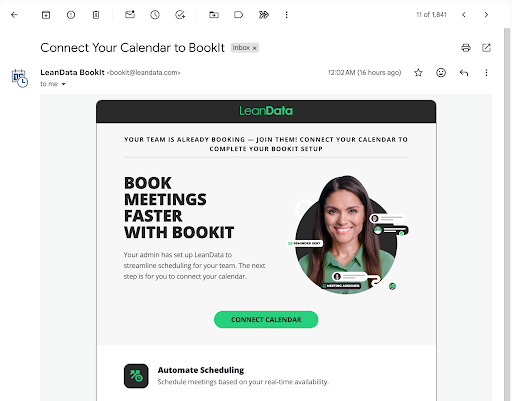
If you skip this step, your link won’t show real availability. Takes 30 seconds.


1mind and LeanData work together to qualify buyers, route meetings, and schedule with the right rep automatically.

Slack has transformed business communication– it’s the platform where work can happen.

Expertly target and engage high-value accounts when they’re ready to buy.

LeanData’s integration with Outreach allows a user to route prospects to the right reps.
Unlike a personal calendar link, every meeting you book with BookIt Links lands on the right Salesforce account, respects your team’s round robins, and is logged automatically. No more “wait, who owns this lead?” Slack messages.
We’ll walk you through each one. Less than 5 minutes total.
STEP 2 OF 3
Use a meeting type your admin already set up. It comes with your team’s branding, reminders, and routing logic baked in — you don’t need to configure anything.
Your calendar only. Use for 1:1s, demos, and email signatures.
Most common · Default choice
Multiple hosts shown side-by-side. Great when a buyer needs both an AE and a Solutions Consultant on the same call.
For multi-host meetings
First-available rep from your team, routed automatically. The link is the same — the right person gets the meeting.
Add a scheduling link to your signature. Now, every cold email becomes a booking opportunity.
Drop into Salesloft or Outreach sequence templates. Every touch becomes a CTA.
Paste into DMs, post bios, and the “Featured” section of your profile.
Grab and share your link from anywhere in the browser without leaving your workflow.
ADVANCED LIBRARY OF USE CASES
You don’t need any of this on day one. Come back when you want to add reminders, branded confirmation emails, or surface multiple meeting types on one page.
High-intent prospects book instantly from your demo-request forms, all with the same routing logic available in Orchestration.
Learn More
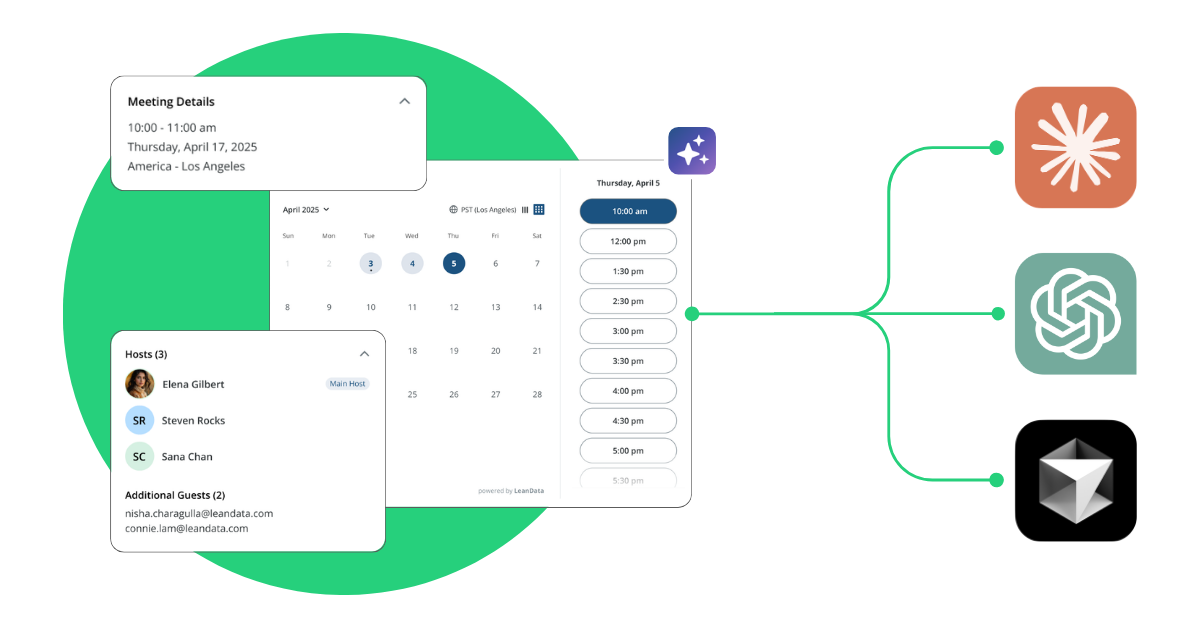
Connect Claude, ChatGPT, and more directly to BookIt with the BookIt MCP server to ask natural language questions and get structured, accurate answers in seconds.
SDRs hand off prospects to AEs live on the call with no double-booking or calendar tetris and with full distribution fairness and governance.
Need help? You can also enable Single-Use Links for high-value outbound and leverage the Chrome Extension for one-click scheduling from anywhere.