










Lead distribution strategies are the backbone of sales team productivity and revenue growth.
One of the most effective and widely adopted is round robin lead distribution, a system that ensures fair, fast, and scalable lead assignment across your entire sales team.
If you need a way to distribute leads that’s fair, fast, and improves the B2B buying experience, round robin is your answer. Here’s everything you need to know to implement it right.
The Case for Speed: Why Lead Distribution Matters
The data is unambiguous:
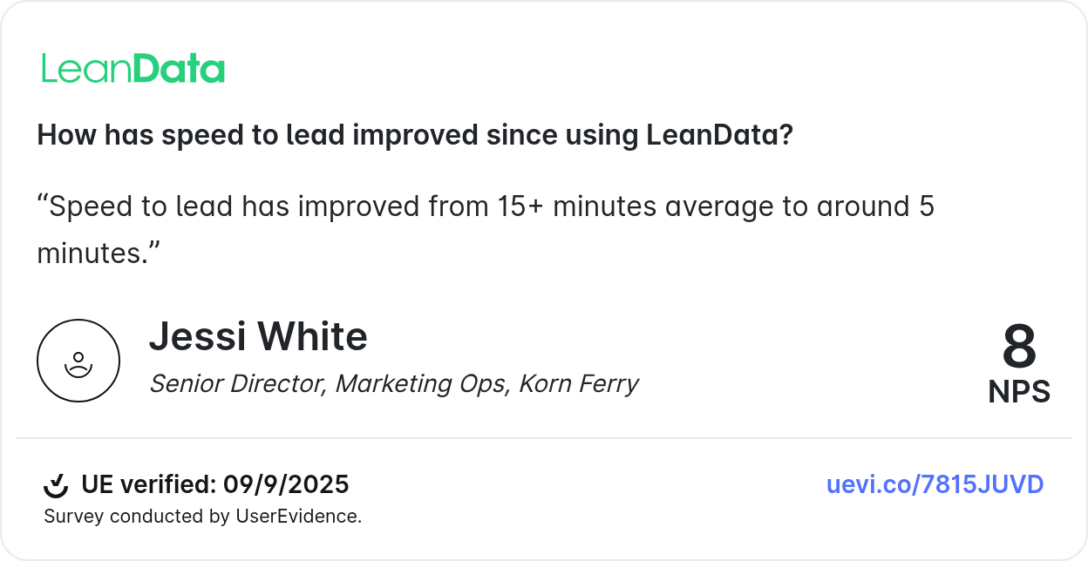
- 391% increase in lead conversions when reps respond within one minute (Velocify)
- 35 – 50% of sales go to the vendor that responds first (InsideSales.com)
- 35.4% of businesses believe a 5-minute response is the gold standard; only 62.1% actually deliver it (Blazeo)
- 81.2% of companies that respond in more than an hour report losing leads (Blazeo)
Manual lead assignment introduces delays, confusion, and lost opportunities. Round robin eliminates all three.
What Is Round Robin Lead Distribution?
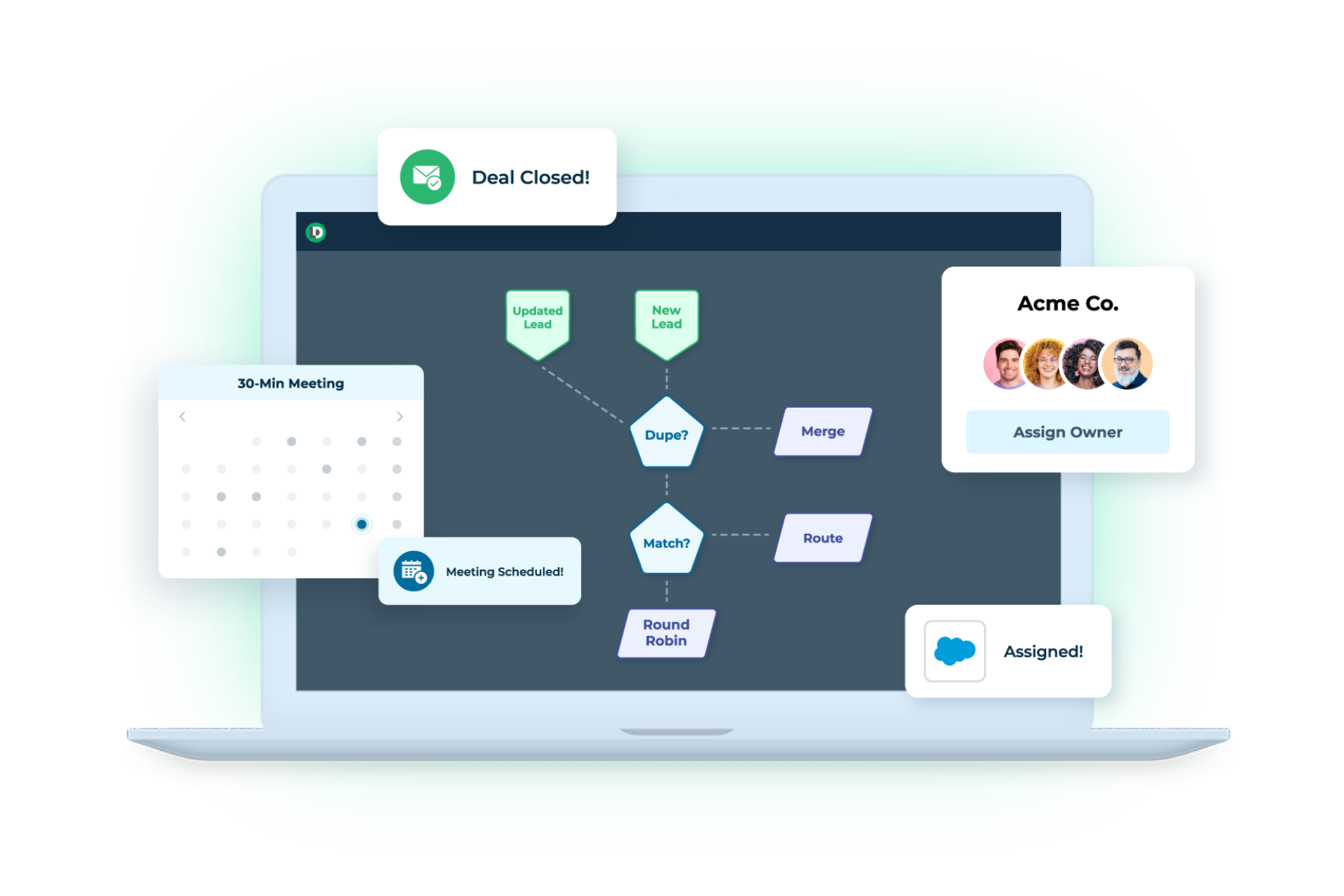
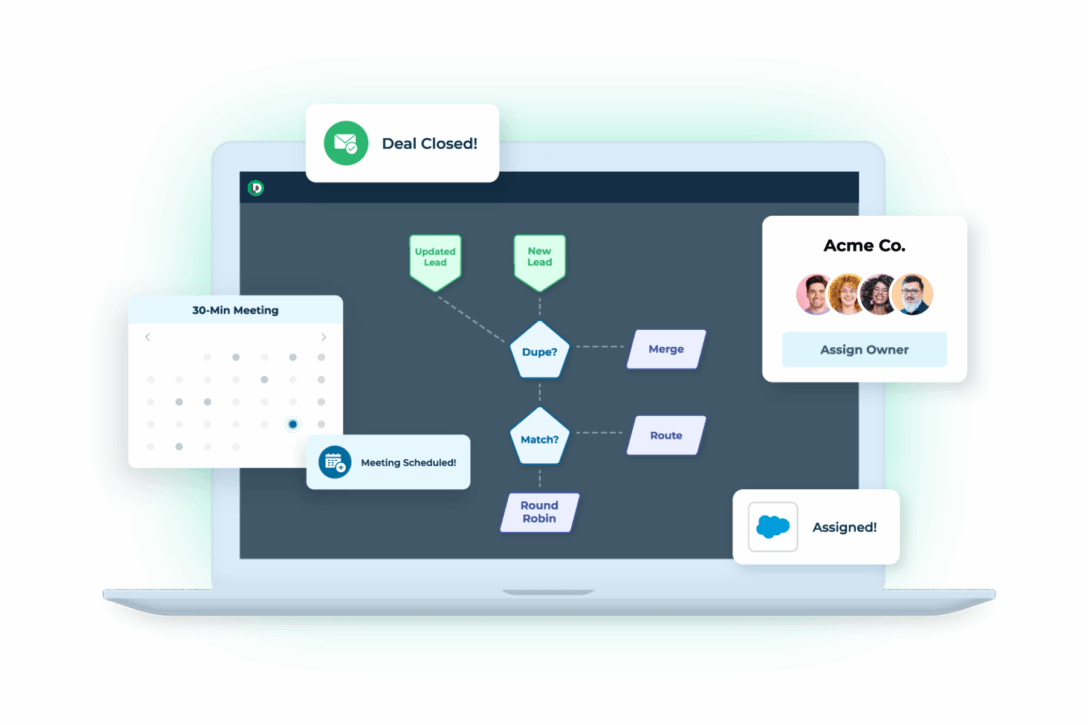
A round robin is an automated lead distribution method that assigns incoming leads to sales reps in a rotating, cyclical sequence. Rather than manually deciding who gets each lead, the system rotates through a pool of reps – ensuring every rep gets an equal opportunity to sell.
How the cycle works:
- Lead 1 goes to Rep A
- Lead 2 goes to Rep B
- Lead 3 goes to Rep C
- Lead 4 goes back to Rep A (and so on)
The pattern repeats automatically, ensuring balanced distribution regardless of lead volume.
Round Robin vs. Other Lead Distribution Methods
Not every distribution method fits every team. Here’s how round robin stacks up:
Round robin is the strongest default for high-volume inbound teams. For most B2B organizations, it serves as the foundation that other distribution logic is layered on top of.
How Round Robin Impacts Sales Productivity
Faster Lead Response Times
Automated lead distribution directly improves speed to lead. When reps know they’re next in rotation, they’re primed to respond immediately. Leads are assigned within seconds of entering the CRM – not hours. Given that teams responding first win 35-50% of sales, this isn’t a nice-to-have; it’s a revenue driver.
Equal Workload Distribution
Round robin evaluates each rep’s current workload and schedule before assigning. If a rep is at capacity or on leave, the system skips them and continues the rotation. No rep gets overwhelmed. No rep sits idle. The result is a more productive, less burned-out team.
Reduced Lead Conflicts
When assignment is transparent and automated, disputes over lead ownership disappear. Reps spend their time selling, not arguing over who should have gotten a lead.
Stronger Team Morale
Fairness drives motivation. When reps trust the system is equitable, they’re more engaged, more collaborative, and more confident. Research from HubSpot consistently shows that high-performing sales cultures are built on trust and transparent lead distribution is a foundational element of that.

Show video transcript Hide video transcript
Round Robin Best Practices
This is where most implementations fall short. Setting up a round robin is straightforward. Running one well requires these practices:
1. Segment leads by quality before rotating
Not all leads are equal. Use lead scoring to separate high-intent leads from low-quality ones before they enter the rotation. Route leads scoring 70+ via round robin; send sub-70 leads to nurture sequences. This keeps your pipeline clean and your reps focused on winnable deals.
2. Use weighted distribution for performance differences
If one rep closes 40% of their leads and another closes 25%, a pure round robin under-leverages your top performer. Weighted round robin gives high performers a proportionally larger share while still maintaining overall fairness across the team.
3. Auto-reassign stale leads
If a rep hasn’t contacted a lead within a defined window (typically 2-4 hours for high-intent leads), the system should automatically reassign it to the next available rep. Stale leads kill conversion rates. Don’t let them sit.
4. Pause reps who are offline or at capacity
Reps on leave, in a training, or at capacity should be automatically removed from the rotation pool. The round robin continues without them and they re-enter when they’re available. This prevents leads from being assigned to someone who can’t follow up.
5. Apply multi-stage assignment
Round robin doesn’t have to be a single step. Use it at different stages: junior reps handle initial qualification via round robin, then qualified opportunities get routed to senior closers via a separate rotation. This maximizes the value of each rep’s skill set.
6. Combine with lead scoring thresholds
Set a minimum score threshold for round robin entry. Leads that don’t meet the threshold go to email nurture or a separate low-priority queue. This prevents spam and low-quality inquiries from clogging the rotation and burning rep time.
7. Account for time zones and languages
If your team spans multiple regions, factor in geography and language before assigning. A lead from Germany shouldn’t go to a rep who only works Pacific hours. Build time zone and language rules into your routing logic.
8. Run a two-week pilot before full rollout
Don’t flip the switch for your entire team on day one. Pick 2-3 reps (ideally a mix of senior and junior), route one lead source through round robin, and keep your existing system running in parallel as a backup. Check in daily the first week, then weekly. Roll out broadly once you’ve validated the logic.
9. Review distribution metrics every week
Set a recurring 15-minute Monday review of your key metrics. If numbers look good, keep going. If something’s off – a rep getting fewer leads than expected, response times creeping up – investigate before it becomes a pattern.
10. Don’t over-engineer it early
Only change things that are actually broken. A common mistake is tweaking the system based on assumptions rather than data. Give your round robin at least 30 days of real data before making structural changes.

Show video transcript Hide video transcript
When Round Robin Isn’t the Right Fit
Round robin is powerful, but it’s not always the right tool. Consider an alternative approach when:
- Lead volume is under 10 per day – At this volume, manual assignment is manageable and round robin may add unnecessary complexity.
- Deal complexity varies significantly – When some leads require deep domain expertise and others don’t, a skill-based or hybrid approach will outperform pure rotation.
- You have named account coverage – If enterprise accounts are owned by specific reps, forcing those leads into a round robin rotation breaks relationship continuity.
- Your team has extreme performance gaps – A pure round robin in a team where one rep converts 3x the average will cost you revenue. Shift to weighted round robin in this scenario.
The honest answer: most B2B teams benefit from a hybrid model: round robin as the default, with rules layered on top for high-value segments, named accounts, and performance weighting.
How to Implement Round Robin in Your CRM: A 7-Step Plan
Step 1: Define Your Objectives and Criteria
Your primary goal is equal lead distribution that maximizes team efficiency and response times. Before configuring anything, define:
- What qualifies a lead for round robin entry (lead score, source, geography, product interest)?
- Which reps are in the rotation pool?
- What are your business hours and time zone rules?
Step 2: Choose the Right Tools
Use a CRM that supports automated lead distribution – Salesforce and HubSpot both offer native round robin capabilities. If your CRM’s native features are limited, consider a dedicated lead routing solution like LeanData. The key requirement: real-time assignment, not batch processing. If your system waits 15 minutes to process leads, you’ve already lost the speed-to-lead advantage.
Step 3: Set Up the Round Robin Logic
Configure your CRM or routing tool to distribute leads evenly. Add all eligible reps to the rotation pool. Layer in your business rules: availability checks, capacity limits, lead scoring thresholds, and territory rules. Make sure newer reps are ramped gradually – don’t throw them into a full rotation on day one.
Step 4: Integrate All Lead Sources
Connect every lead capture point to your CRM:
- Website and landing page forms
- Paid ad platforms (Google, LinkedIn, Meta)
- Trade show and event leads
- Webinar registrations
- Purchased lists
Every lead source that enters manually is a potential gap in your round robin coverage.
Step 5: Run a Pilot Test
Route a single lead source through round robin with 2-3 reps for two weeks. Keep your existing process running in parallel. Collect daily feedback from the pilot reps. Fix issues before expanding to the full team.
Step 6: Monitor and Optimize
Build dashboards to track the four core metrics (see below). Review weekly. Make adjustments based on what the data shows – not what you think should be happening.
Step 7: Train Your Team
Reps need to understand how the round robin works, how to manage assigned leads in the CRM, and what the escalation path is if something goes wrong. Training isn’t a one-time event. Revisit it when you make significant changes to the routing logic.
What Kinds of Round Robin Customizations Are Available?
A well-configured round robin is more than a simple rotation. Modern routing solutions, including LeanData’s Salesforce-native FlowBuilder, support a range of customizations:
Weighted distribution
Assign leads proportionally based on rep performance, experience, or capacity. Senior reps can receive 2x the lead volume of junior reps while the rotation still maintains overall fairness.
Availability-based pausing
Reps are automatically removed from the rotation when they’re out of office, at capacity, or outside business hours. The rotation continues seamlessly without manual intervention.
Territory and segment rules
Build geographic, industry, or segment rules into the rotation. Leads from specific regions or verticals route to the most qualified rep for that context before entering the general rotation.
Multi-object routing
LeanData’s round robin supports distribution of Leads, Contacts, Accounts, Opportunities, and Cases, not just inbound leads. This makes it possible to apply consistent distribution logic across your entire revenue motion.
Capped round robin
Set a maximum lead cap per rep per day. Once a rep hits their cap, they’re skipped until the next cycle. This prevents burnout and ensures consistent follow-up quality across the team.
What Metrics Should You Track?
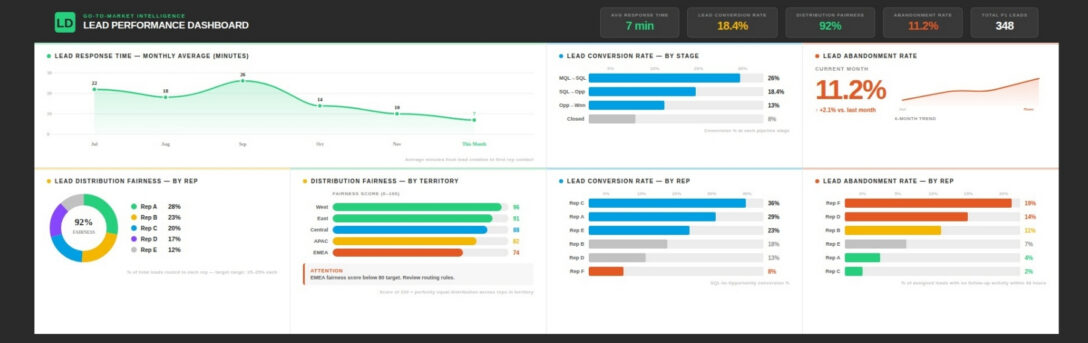
Four metrics tell you whether your round robin is working:
Lead Response Time
How quickly are reps contacting leads after assignment? This is your most critical metric. Benchmark: top-performing teams respond within 5 minutes for high-intent leads. A well-configured round robin should reduce your current response time by 50-67%.
Lead Conversion Rate
What percentage of assigned leads convert to opportunities? Track this per rep and in aggregate. Significant variance between reps signals a training gap or a weighting issue.
Lead Distribution Fairness
Are leads actually being distributed evenly? Pull a report on leads assigned per rep over 30 days. If one rep has 40% more leads than another, your rotation logic has a gap.
Lead Abandonment Rate
What percentage of leads go uncontacted after assignment? This is your stale lead indicator. If abandonment is high, tighten your auto-reassignment window and review rep capacity settings.
Track these metrics weekly. Set a Monday morning reminder. Fifteen minutes is enough to catch problems before they compound.
Ready to See Round Robin in Action?
LeanData’s Salesforce-native routing solution gives revenue teams the flexibility to build round robins that match how their business actually works, with weighted distribution, real-time assignment, multi-object routing, and built-in analytics to track performance over time.
Curious about LeanData? Come take a test drive.
FREQUENTLY ASKED QUESTIONS
What is round robin lead distribution?
How is weighted round robin different from standard round robin?
When should I use round robin vs. skill-based routing?
What happens when a rep is out of office?
How do I prevent low-quality leads from entering the rotation?
What CRMs support round robin lead distribution?
How do I know if my round robin is working?

Kim Peterson
Kim Peterson is the Senior Manager of Content Strategy at LeanData where she digs deep into all aspects of go-to-market strategy and execution. Kim's writing experiences span tech companies, stunt blogging, education, and the real estate industry. Connect with Kim on LinkedIn.