












Audit logs can be the secret weapon your go-to-market (GTM) team never knew it needed.
First, consider what happens when something breaks in your routing process.
A hot lead doesn’t reach the right rep.
A sales manager reports missing records.
Or worse, a VP asks why a multimillion-dollar account never got touched.
Without visibility into the flow of records, finding an answer can feel like untangling Christmas lights in the dark.

Why Visibility into GTM Processes Matters
Modern GTM teams run complex revenue operations across multiple tools.
Lead routing, matching, SLAs, and scoring are just a few of the processes that must work together. When something goes wrong, revenue is on the line. As a result, quickly identifying what happened, where it happened, and why it happened is essential.
Audit logs provide that clarity.
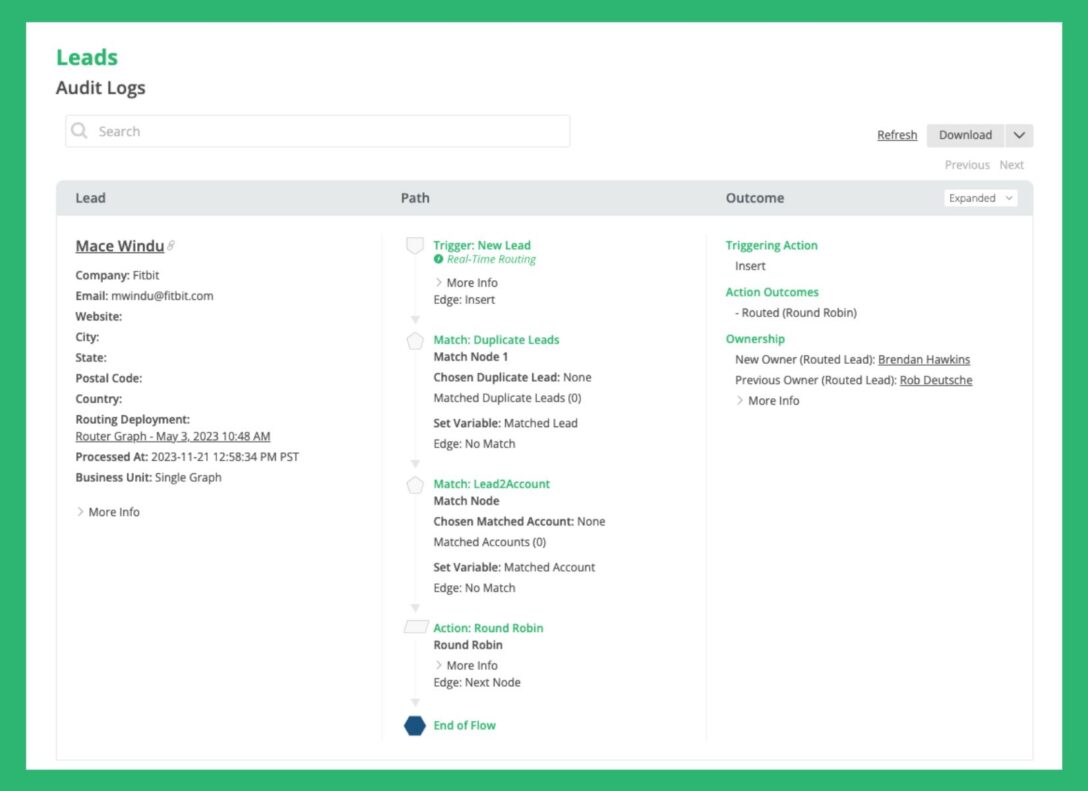
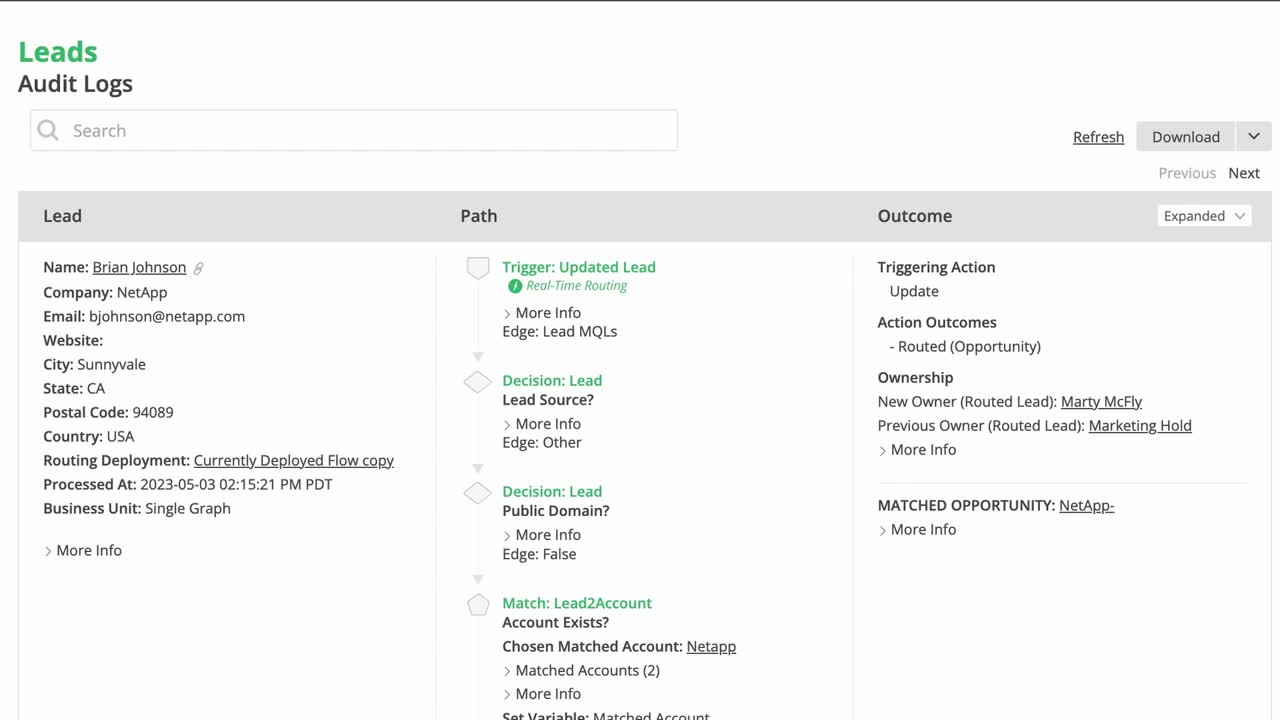
They show the full decision path each record took through your routing flow, which conditions it met, and what outcome resulted. This visibility empowers operations teams to troubleshoot confidently and make fast, informed adjustments.
The Cost of Not Knowing
A lack of auditing can slow down your entire GTM motion.
Sales teams may miss SLAs. Hot leads may sit in inactive queues. Or, a routing rule might silently fail due to a data mismatch. When there’s no audit trail, even small errors can cause major setbacks.
In addition, every moment spent manually retracing steps is time lost. Without insight into the process, operations teams become data detectives, hunting across platforms and reconciling logs.
Therefore, investing in tools that support auditing isn’t just a nice-to-have. It’s a necessity.
Where Lead Routing Goes Wrong
First, let’s look at common places where GTM processes tend to fail:
- Leads assigned to inactive users or queues
- Round robin assignments that fail due to logic errors
- Leads routed without owner notifications
- Territory mismatches or outdated criteria
- Expired SLAs or stuck records
Also, if your team spends more time managing your routing rules than executing strategy, you may be dealing with avoidable inefficiencies. Relying on IT to decode Apex code or fix brittle Salesforce flows introduces more lag and limits agility.
Auditing Lead Routing in Salesforce
In Salesforce, troubleshooting routing issues often involves digging into assignment rules, flows, or Apex logic. However, each has its challenges.
Assignment rules must be reviewed for accuracy and order. Round robin logic requires checking object fields and counters. Debugging Apex code demands technical expertise.
Thus, the process can be time-consuming and error-prone, especially for RevOps or SalesOps professionals who aren’t developers.
Enter LeanData Audit Logs
LeanData simplifies GTM troubleshooting by offering intuitive audit logs built directly into its routing engine. Each record that enters a LeanData flow leaves behind a breadcrumb trail. This includes:
- Which decision nodes it passed
- What criteria were met or not met
- What action was taken (e.g., assignment, hold, match)
- When and how the decision occurred
As a result, users can view and understand the full routing history of a single lead or account without writing a single line of code.
Benefits of LeanData Audit Logs
In addition to simplified troubleshooting, LeanData’s audit capabilities support broader GTM performance initiatives:
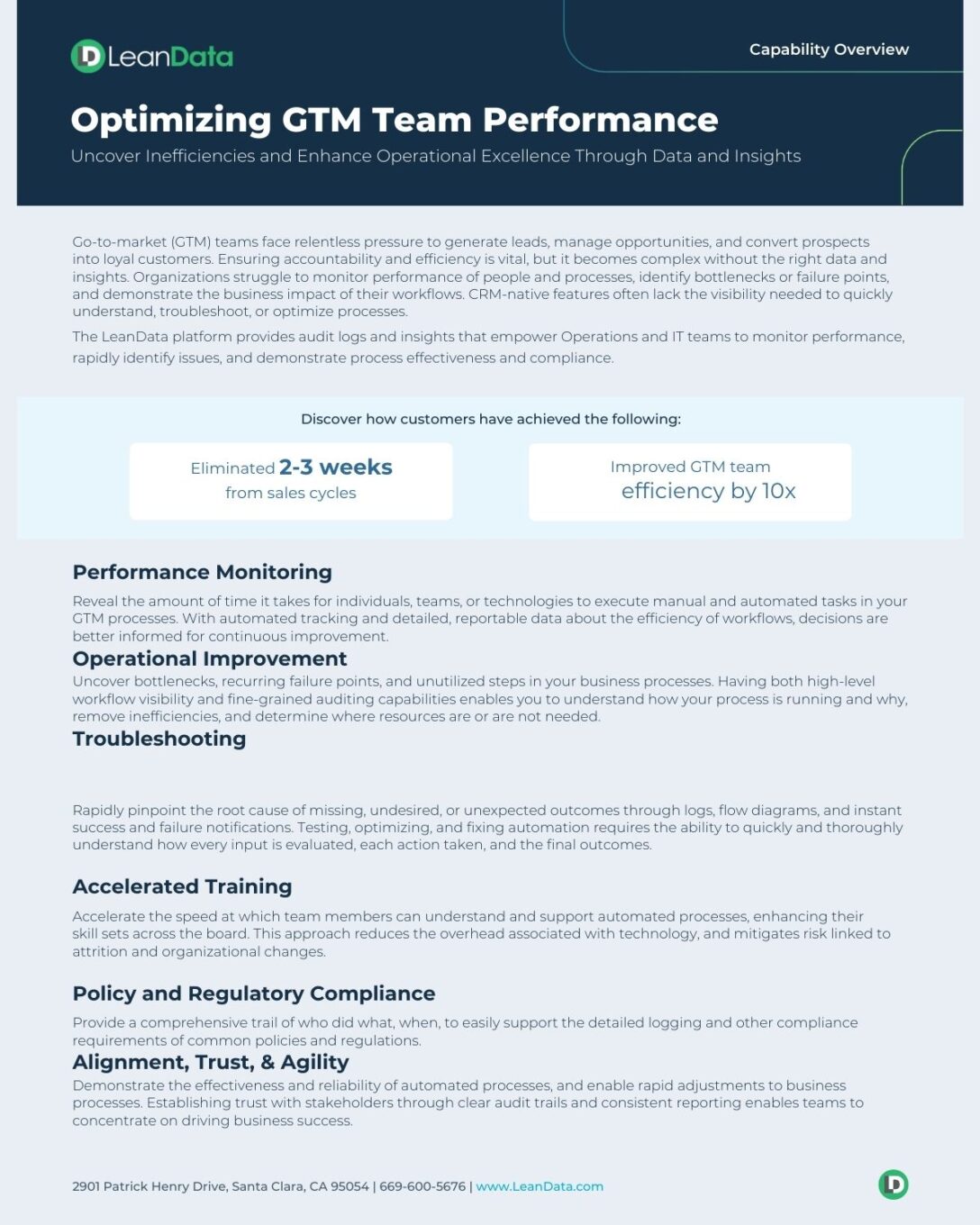
- Performance Monitoring: Measure how fast reps take action on assigned leads. Spot delays or bottlenecks.
- Process Optimization: Uncover failure points, underused steps, or rules that need refinement.
- Compliance: Maintain a detailed record of who did what, when, and why, supporting audits and stakeholder trust.
- Training & Handoff: Help new team members understand the flow of data without needing deep system knowledge.
- Speed to Resolution: Quickly locate and fix problems, so revenue doesn’t stall due to unseen errors.
One G2 reviewer described it simply: “We have had so much trouble understanding why certain things route certain ways. LeanData’s audit logs make reviewing volume and paths SO easy.”

Audit Logs as a GTM Command Center
Think of audit logs not just as a diagnostic tool, but as a strategic resource. With the ability to monitor workflows and outcomes, your GTM team gains a command center for continuous improvement.
Next, by analyzing audit logs regularly, you can proactively identify patterns.
Are leads frequently failing at a particular node? Are opportunities regularly routed to the wrong rep segment?
These insights fuel smarter process design and stronger alignment across Sales, Marketing, and RevOps.
Audit Logs Drive GTM Success
Optimizing your go-to-market performance with audit logs isn’t just about fixing errors. Rather, it’s about enabling speed, clarity, and control. With full visibility into how your processes operate, your revenue team can:
- Reduce time spent troubleshooting
- Prevent lead leakage
- Improve SLA compliance
- Train faster and more effectively
- Adjust quickly to business changes
In short, audit logs transform your routing flows from a black box into a transparent, adaptable system that supports growth. And when that system is powered by LeanData, the time to insight drops from weeks to minutes.
That’s how GTM teams stay agile, aligned, and ahead.
FAQ
What are audit logs and why do GTM teams need them?
How do audit logs help troubleshoot routing issues?
How long does LeanData store audit logs and can I adjust the retention period?
Can I report on audit logs inside Salesforce?

Kim Peterson
Kim Peterson is the Senior Manager of Content Strategy at LeanData where she digs deep into all aspects of go-to-market strategy and execution. Kim's writing experiences span tech companies, stunt blogging, education, and the real estate industry. Connect with Kim on LinkedIn.