













Summary
AI in GTM is complex. LeanData’s 9.x release will help you simplify the execution. Revenue teams can now manage their FlowBuilder graphs conversationally, use BookIt to cover in-person events and tradeshows, and explore LeanData Journeys, a new way to unify buying group signals into a single, actionable view. Here, we’ll break down each new feature and what it means for teams managing complex go-to-market workflows in Salesforce.
What You’ll Learn
- How the LeanData AI Assistant now works inside FlowBuilder, not just Audit Logs
- What changed now that AI Inference Nodes are generally available
- How Account Hierarchies now surfaces subsidiaries and parent companies through Dun and Bradstreet data
- What BookIt for Tradeshows does for reps managing in-person events
- How BookIt now connects to Outreach, Salesloft, and any AI tool through MCP
- What LeanData Journeys is and how it turns buying group signals into next steps
AI Only Works When the Foundation Underneath It Does
In go-to-market motions right now, AI is everywhere. AI SDRs are booking meetings. Inference models are reasoning over routing decisions. Agents are picking up work that used to sit entirely with a rep or an admin. However, none of that works reliably without clean data underneath, governed processes, and context that carries through every handoff.
Instead of adding AI as a separate layer, LeanData’s 9.x release puts AI directly into the tools ops teams already use. Then it keeps every action auditable. As a result, teams get more automation without losing the control that GTM orchestration depends on.
Here’s what’s new and what it means for your team.
9.x Release at a Glance

Ask Your Graph a Question, Get an Answer You Can Trust
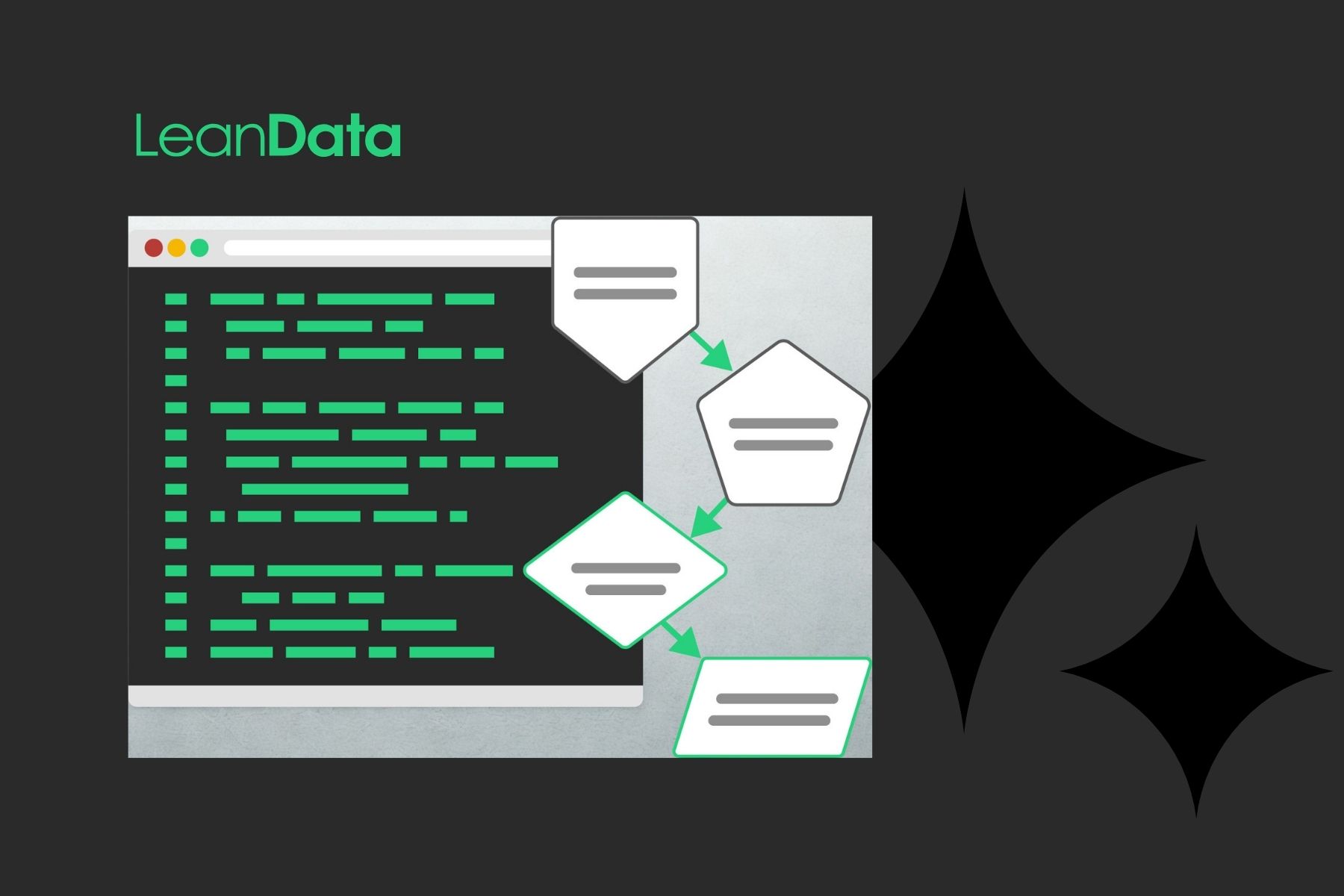
The LeanData AI Assistant first launched inside Audit Logs, giving admins a conversational way to understand what happened to a record after the fact. In our Q3 2026 release, that same assistant moves into FlowBuilder so admins can ask questions about a graph while they are actively building or troubleshooting it.
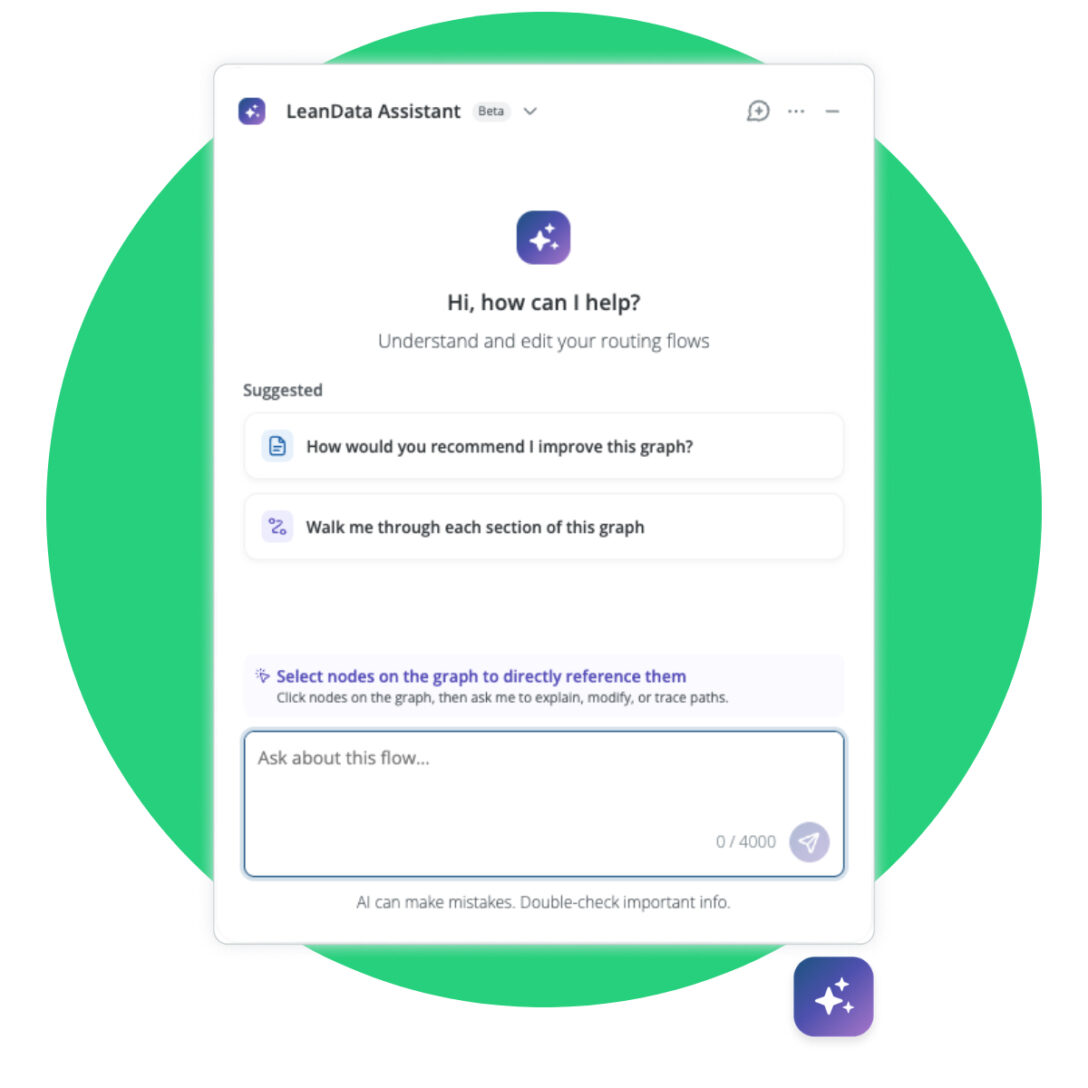
Ask what a specific node does and get a plain language explanation instead of having to click through its configuration panel. Select a group of nodes and ask a targeted question about just that section of the graph. Then, pick up a previous conversation right where you left off, since the assistant keeps context across sessions.
If your organization already has the AI Assistant enabled in Audit Logs, it extends into FlowBuilder automatically on upgrade. Think of it as adding a skill to a feature you already trust instead of as a new tool.
From Beta to Backbone: AI Inference Node Is Ready for Scale
AI Inference Nodes let a graph run an LLM prompt against unstructured text at a specific decision point. Then it feeds that output back into deterministic routing logic. AI Inference Nodes are now generally available in the LeanData Q3 2026 release along with several additions that make them more useful at scale.

Support now extends to Anthropic and Microsoft Azure on top of existing OpenAI and Google Gemini support, so Microsoft-only shops have a path to use the feature. A new web search toggle allows a node to pull in current information when the prompt calls for it. That means you can easily find a company’s headcount or recent news. As a result, teams get more current answers without paying to search the web on every record that passes through.
Validation and error logging have improved to provide more detail when a node’s model and provider settings do not match.
See the Corporate Family Tree Salesforce Doesn’t Show You
Enterprise accounts rarely exist in isolation. A single logo in Salesforce might have a dozen subsidiaries, sibling entities, or a parent company that nobody has entered into the CRM. That means unrealized expansion opportunities could be sitting right next to accounts your team already owns.
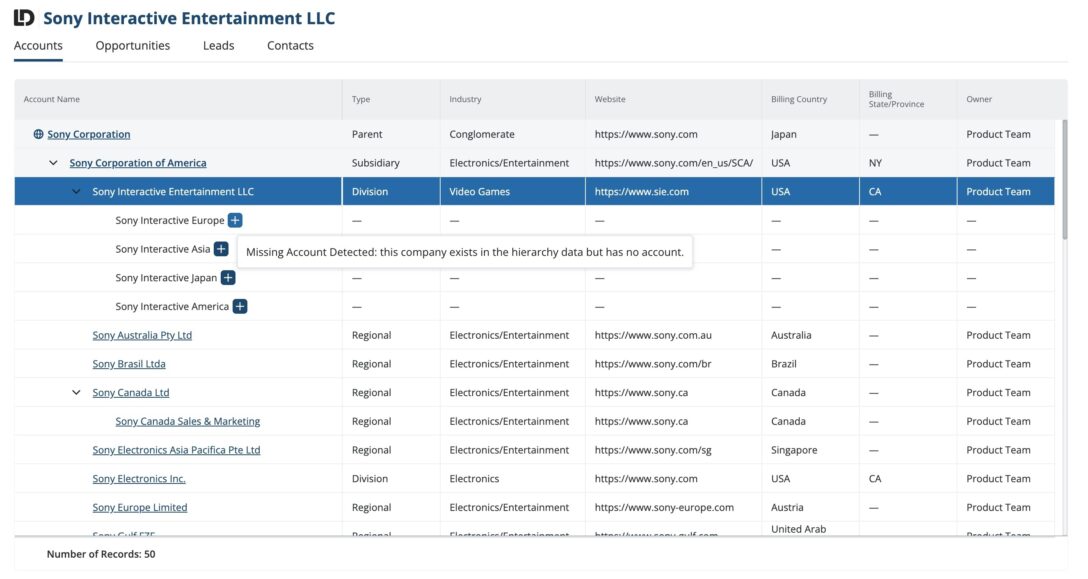
Account Hierarchies now adds Dun and Bradstreet as a data provider for Whitespace Discovery, joining existing support. Admins can authorize D&B in Integrations, then automatically search and compare D&B’s corporate hierarchy data against what already exists in Salesforce. Any entity D&B surfaces that is not yet an account can be created, pre-populated with D&B data, in a single click. Filters and preview counts also show how many credits a search will use before it runs to keep admins in control of usage.
No Meeting Left Behind, Even at a Tradeshow Booth
Meeting scheduling had a blind spot that flew under the radar for too long: anything that happened in person. Reps working a tradeshow floor showed up as “busy” on their calendar even when they were free to meet. Teams couldn’t track who had booked physical resources like meeting rooms and booth stations. That’s because they didn’t have a scheduling mode built around the specific rules of an event.
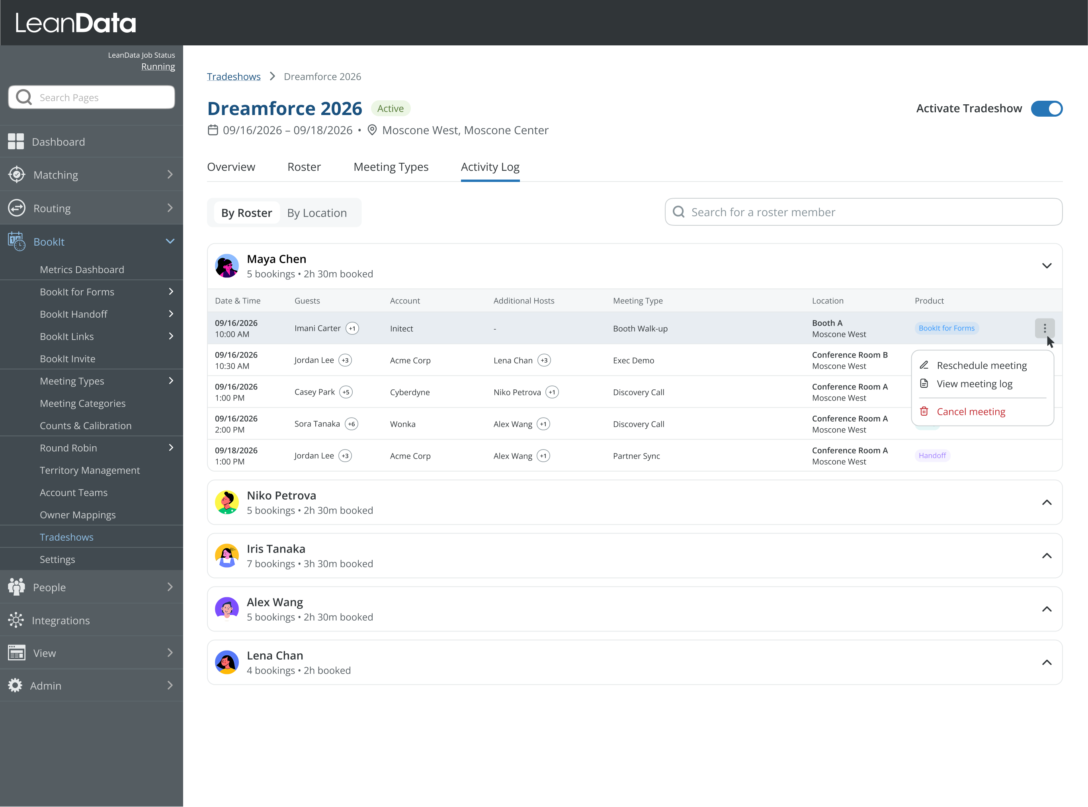
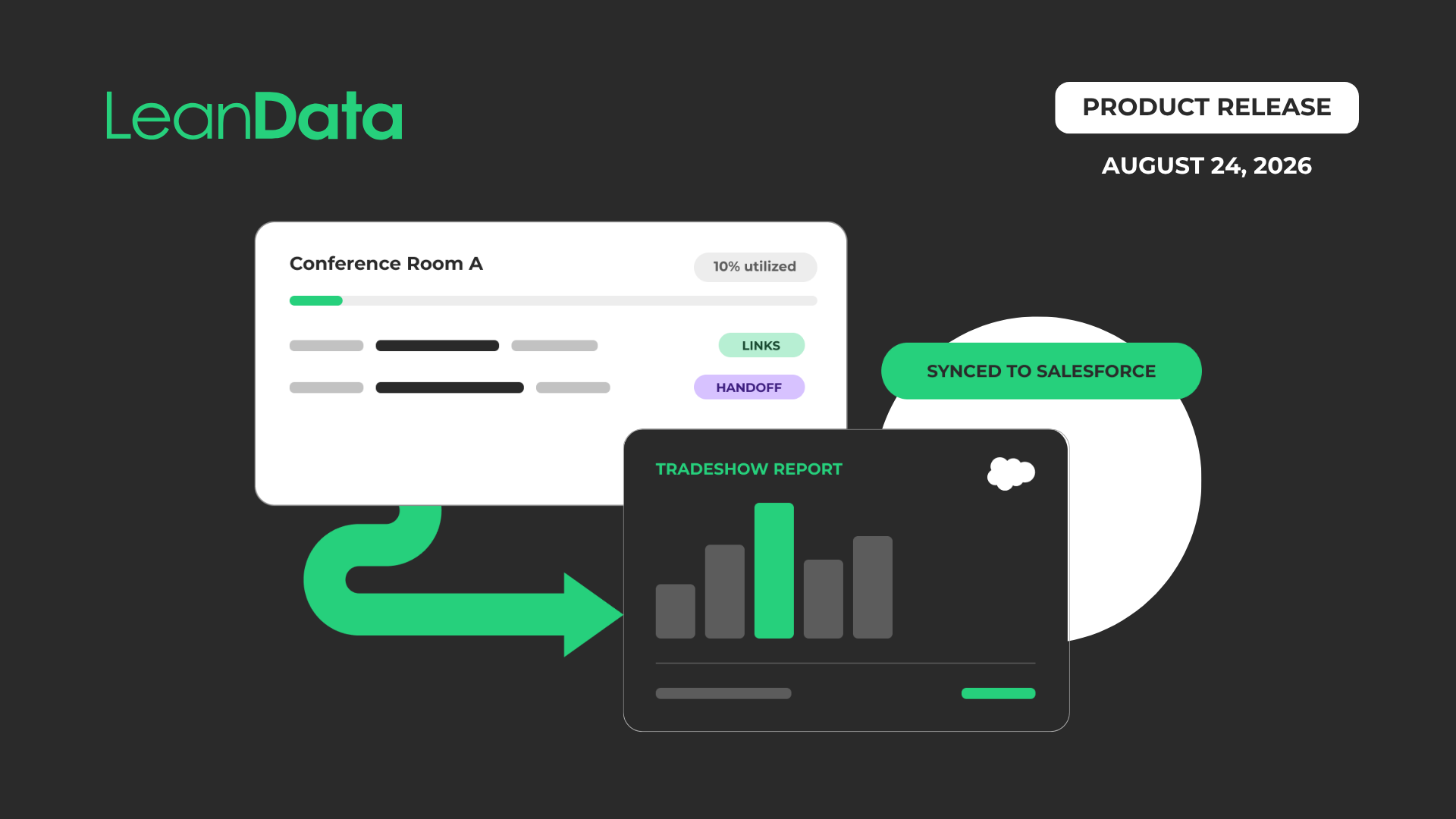
With BookIt for Tradeshows, admins can build a roster for an event, manage which venues and rooms are available, and let reps book against real event availability rather than their default calendar. Scope specific meeting types for different events and use activity logs to see bookings broken down by rep or by location. Nothing that happens on the show floor will get lost after the fact.
Alongside BookIt for Tradeshows, this release also adds Calendar Event Tracking to offer teams visibility into what happens to a meeting well after the moment it lands on a calendar.
Your Scheduling Stack, Now Talking to Everything Else
BookIt has expanded connections on two fronts in this release.
The first is that BookIt now integrates directly with Outreach and Salesloft, so meetings booked through Handoff or Invite can pull from and write back to those platforms without forcing reps to leave their tool of choice.
The second means BookIt MCP, which already lets AI tools like Claude and Agentforce book meetings through a standard protocol, now provides expanded administrative control and automation flexibility. Admins can:
- Assign and manage users and product access
- Create and manage pools & pool members
- Reassign meetings
- Book meetings through routing links
- And much more
All of this can be done with conversational tool calls instead of a multi-screen trip through the admin UI. With the upgrade, your team will speed up operations and establish a governed environment for AI-powered scheduling across your organization.
From Scattered Signals to One Place Reps Actually Work From
The most significant addition in the 9.x release is LeanData Journeys, a new add-on that solves a problem every enterprise sales team recognizes: Multi-threading a deal is easier said than done.
Buying group context is usually scattered across account, contact, lead, and opportunity records, so reps spend time reassembling the story instead of acting on it. Journeys brings that story into one place:
Journeys is available as an add-on for Premium Orchestration customers.
Good AI GTM Starts with What Happens Under the Hood
The 9.x release reflects four themes that run through every feature in this update.
#1: AI That Works for Ops: The AI Assistant is now in FlowBuilder, and the move to general availability for Inference Nodes puts AI directly into the hands of the people building and maintaining routing logic every day.
#2: No Meeting Left Behind: BookIt for Tradeshows and Calendar Event Tracking ensure every meeting, wherever it happens, gets routed, tracked, and attributed.
#3: Where Your AI GTM Stack Comes Together: You’ll now have access to D&B Whitespace Discovery, the Outreach and Salesloft integrations, and BookIt MCP’s expanded capabilities. These updates strengthen LeanData’s role as the connective layer between your CRM, your sequencing tools, and the AI agents your team is starting to rely on.
#4: Turning Journey Insights into Pipeline: LeanData Journeys unifies buying group signals across a deal. Teams always know who to engage next and how, and they can take action without leaving the record.
Whether you lead revenue operations, manage a sales team, own the Salesforce stack, or set GTM strategy at the executive level, this release was built to reduce friction in your work. It’s time to see what these new features can do for your AI go-to-market orchestration and scheduling.
Looking for more on these features and integrating AI into the workflows your team runs every day? You can also check out our webinar What’s New with LeanData: Product Edition.
See how these features transform your AI GTM
FAQ
What is LeanData Journeys?
Do existing AI Inference Nodes need to be reconfigured to use the new providers?
Does Account Hierarchies require a ZoomInfo or Dun and Bradstreet contract?
Will the AI Assistant automatically appear in FlowBuilder for customers who already have it in Audit Logs?
Which tools can connect to BookIt through the MCP server?

Jill Makin
Jill Makin is a Content Marketing Specialist at LeanData. Her content expertise includes B2B SaaS marketing across industries including fintech, healthcare, enterprise orchestration, and more. Connect with Jill on LinkedIn.