











Summary
Lead-to-account matching is the process that connects every new Salesforce lead to the right existing account in real time. When it works well, revenue teams reduce duplicate work, route leads faster, and build a complete account view that powers complex go-to-market motions.
What You’ll Learn
- How lead-to-account matching actually works inside Salesforce
- Why accurate matching is foundational to complex go to market (GTM) operations
- Which features separate basic tools from enterprise solutions
- How to implement matching step by step with best practices
- What makes LeanData’s matching functionality different from other vendors
A better way to think about lead-to-account matching
Here is a truth most enterprise GTM teams discover the hard way. The hardest part of scaling revenue is not generating leads. It’s ensuring every lead lands in the right place with the right context.
Lead-to-account matching solves this problem.
First, it identifies when a new lead already belongs to an existing account in Salesforce. Next, it connects that lead to the best account record. Then, it enables smarter routing, reporting, and coordination across sales, marketing, and customer teams.
Consequently, matching becomes the quiet infrastructure that makes complex go-to-market motions actually work.
At its core, lead-to-account matching is the systematic process of evaluating a lead’s attributes, comparing them to existing accounts, and determining whether a reliable match exists.
Done well, it creates a trusted data foundation rather than another layer of manual cleanup.
Why lead-to-account matching matters for enterprise GTM teams
In Salesforce, leads and accounts live on separate objects. This design gives teams flexibility, however, it also creates persistent friction.
Without reliable matching, several problems emerge over time.
- Sales reps may contact a current customer as if they were net new.
- Marketing may inflate pipeline by counting leads that already belong to active accounts.
- Routing rules may assign work to the wrong team.
- Reporting may misrepresent account engagement.
As a result, teams spend more time reconciling data than acting on it.
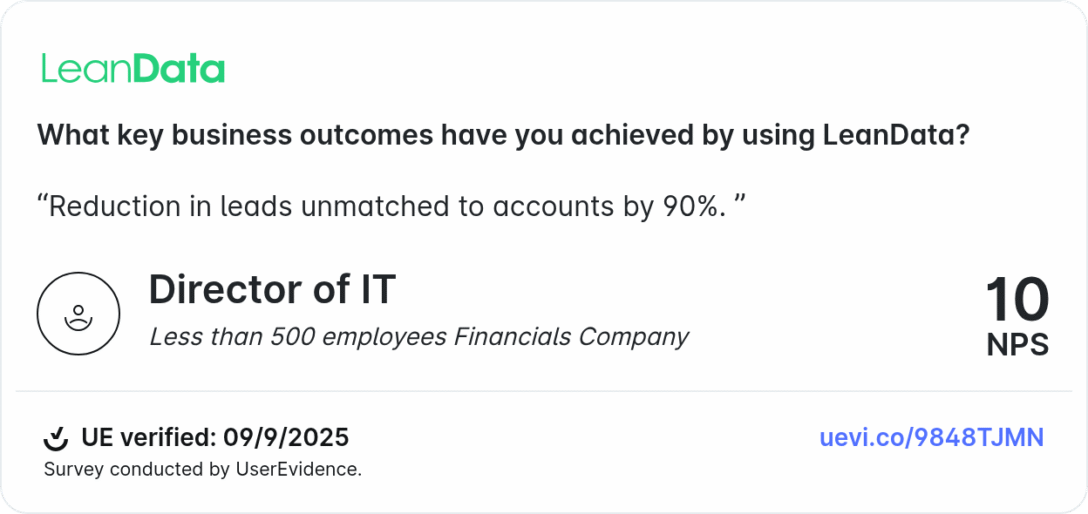
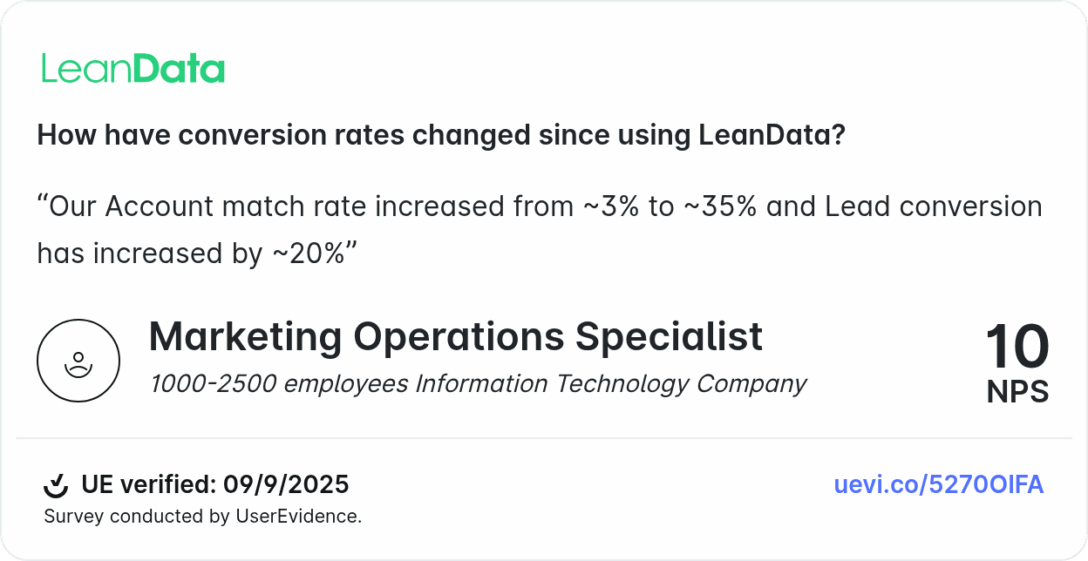
Effective lead-to-account matching changes this dynamic. It gives every lead immediate account context, reduces duplicate outreach, and aligns marketing and sales around a shared account view.
For organizations using account based strategies or a buying groups motion, matching is not optional. It’s foundational.
How Salesforce lead-to-account matching works
Salesforce provides native tools that establish the basic mechanics of matching.
Matching rules
Salesforce evaluates incoming leads against existing records using predefined criteria such as company name, email, or domain. Teams can create custom rules when standard ones do not reflect their business reality.
Duplicate rules
Once a potential match appears, duplicate rules determine what happens next. Salesforce can alert users, block record creation, or flag the lead for review. This is helpful, but it often stops short of automation.
Matched Leads component
Some organizations surface potential matches directly on account pages so reps can review and convert leads manually. This improves visibility, but it still relies heavily on human judgment.
These tools work well for basic deduplication. However, enterprise teams usually need more sophisticated logic, real time processing, and seamless routing. That is where purpose-built matching solutions come into play.
What great lead-to-account matching solutions should do
Not all matching tools are created equal. When evaluating options, revenue and business systems leaders should look for several capabilities.
Multi-field evaluation
The best systems assess multiple data points at once, including company name, email, website, address, and phone. This reduces reliance on any single field.
Fuzzy logic
Enterprise data is rarely clean. Strong matching engines interpret natural variations such as “Acme Corp” versus “Acme Corporation” instead of treating them as unrelated records.
Custom field support
Many companies trust enriched or custom fields more than Salesforce standard ones. Effective tools allow those fields to participate directly in matching logic.
Filters and tie-breakers
When multiple accounts could match a lead, teams need clear rules to select the best one. Filters exclude poor candidates, while tie-breakers prioritize based on criteria like account status, region, or recency.
Transparency
Admins should be able to see why a match occurred. Clear field evaluation and audit summaries reduce guesswork and build confidence in outcomes.
How to implement lead-to-account matching in practice
Most successful lead-to-account matching implementations follow a similar sequence.
Step one, define trusted fields
Begin by identifying which fields your organization relies on most. Many teams start with company name, email domain, and website, then expand to address or enriched attributes.
Step two, configure filters
Next, exclude accounts that should never receive leads, such as inactive customers or retired records. This prevents unwanted matches from the start.
Step three, set tie-breakers
When more than one account remains viable, decide how your business prefers to choose. Some teams prioritize oldest accounts, others prefer the most active owner, and some default to parent accounts.
Step four, test with real data
Rather than launching broadly, run the logic on a sample set of recent leads. Review outcomes, adjust rules, and repeat until results feel reliable.
Step five, connect matching to routing
Matching is most valuable when it triggers downstream action. For matched leads, route to the existing account owner. For unmatched leads, route to new business queues.
Step six, monitor and refine
Data changes over time. Periodic reviews ensure match rates stay high and edge cases get addressed.
Benefits GTM teams actually see
When lead-to-account matching works consistently, impact appears across the entire revenue engine.
- Sales teams spend less time researching and more time engaging.
- Marketing gains clearer account level reporting.
- Revenue operations reduces manual triage.
- Finance benefits from cleaner attribution.
Consequently, speed to lead improves without sacrificing accuracy.
Perhaps most importantly, prospects and customers experience smoother interactions. They are less likely to receive repetitive outreach or mixed messages from different teams.
Advanced lead-to-account matching strategies for complex GTM environments
As organizations mature, they often extend matching beyond basic use cases.
Parent and ultimate parent matching
Some companies prefer to roll leads up to a parent account rather than a subsidiary. Advanced tools allow admins to configure this behavior explicitly.
Segment aware logic
Different business units may require different matching standards. For example, enterprise accounts might rely more heavily on domain data, while SMB leads prioritize company name.
Cross-object expansion
While many teams begin with leads and accounts, advanced approaches can incorporate contacts, opportunities, or cases to create a richer relationship map over time.
What makes LeanData’s lead-to-account matching different?
LeanData approaches matching as a durable data foundation rather than a one-time fix.
- LeanData combines AI powered fuzzy logic with deterministic field comparisons so teams do not have to choose between automation and control.
- It allows administrators to include any Salesforce field, standard or custom, in the matching process.
- LeanData embeds matching directly into visual routing flows so results immediately inform downstream decisions.
- It provides clear, human readable summaries that explain why a match occurred. Teams can review, correct, or refine outputs when needed. Sensitive data is masked before any external processing, which helps maintain security standards.
- When multiple potential matches exist, LeanData applies configurable tie-breakers to select the best account for your environment. If your organization prefers parent accounts, you can direct matches upward automatically. If you want to exclude accounts with inactive owners, you can do that too.
- Matching does not live in isolation. Once a match is made, LeanData can populate account lookups, copy key attributes onto the lead, and route work to the right owner in a single flow.
This tight connection between matching and execution is what many enterprise GTM teams value most.

Where to go from here
Lead-to-account matching may sound technical, but its purpose is simple. It gives every lead the right home, the right context, and the right next step.
When teams invest in strong matching, they spend less energy fixing data and more energy serving buyers. That shift, over time, is what makes complex GTM execution become Intelligent GTM Orchestration.
FAQ
Why do we need LeanData if we already use Salesforce duplicate rules?
Will matching slow down lead processing?
Can we customize logic for different teams?
What happens when there is no match?

Kim Peterson
Kim Peterson is the Senior Manager of Content Strategy at LeanData where she digs deep into all aspects of go-to-market strategy and execution. Kim's writing experiences span tech companies, stunt blogging, education, and the real estate industry. Connect with Kim on LinkedIn.