










Summary
AI GTM tools are rapidly changing how enterprise B2B teams qualify, classify, and route leads. As AI moves from experiment to infrastructure, revenue operations leaders are asking a sharper question: where does AI actually fit in the lead routing workflow, and where does it fall short?
What You’ll Learn
- Why rules-based routing has a ceiling in enterprise GTM motions
- What leading vendors are doing with AI in routing and qualification today
- Five practical use cases where AI adds real value to lead routing workflows
- What LeanData’s full AI feature set looks like across the GTM workflow
- What to plan for before you roll out AI in your routing logic
The Part of Your GTM Motion That AI Has Been Waiting to Fix
Rules-based lead routing is one of the most reliable things in a modern revenue tech stack. Set the criteria, define the assignment logic, and the system runs. Consistently, auditably, at scale.
The problem is the data underneath it.
Most routing logic depends on structured fields: job title, company size, industry, lead source. But a meaningful share of buying signal lives outside those fields. Here’s where signals often hide:
- Dorm comments where prospects describe their situation in their own words
- Call notes where a rep typed a competitor’s name with a typo
- Customer survey responses where someone wrote “we’re evaluating our options” in a way that sounds neutral but clearly is not
Rules cannot read those inputs. They either ignore them or rely on keyword matching that breaks the moment someone uses different phrasing or writes in a different language.
#1 It creates manual work. Someone on the operations team writes more rules, maintains more keyword lists, or a rep spends time qualifying a lead that should have been pre-qualified already.
#2 It creates routing errors. Leads land with the wrong team because a job title variant was not in the ruleset.
#3 It creates data gaps. Competitive intelligence buried in closed-lost notes never surfaces in time to matter.
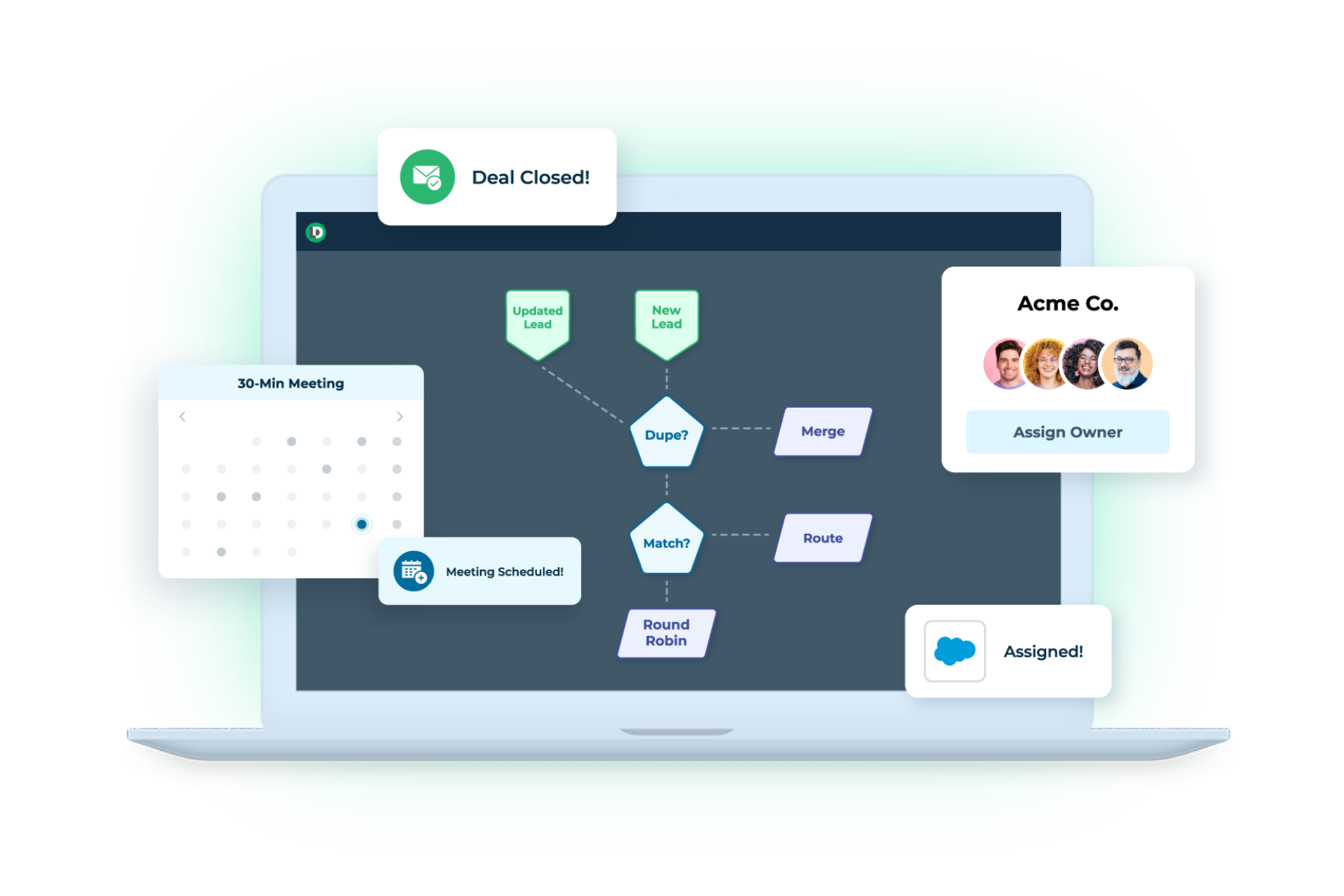
This is the gap AI is well-suited to close. The pattern that works in practice is AI as a classification and interpretation layer, one that converts unstructured or ambiguous inputs into clean, structured values that your routing logic can then act on.

What Vendors Are Actually Building with AI & Routing
The market has been quick to attach “AI” to routing products. It’s worth being specific about what is actually happening, because the implementations vary significantly.
The pattern across all of these is consistent. AI improves the quality of routing inputs, handles unstructured data, and manages front-of-funnel engagement. No major vendor has replaced deterministic routing logic with fully autonomous AI decision-making at the enterprise level (as of the publish date of this article). And, the organizations that have tried have learned why the hard way.
For enterprise B2B organizations with complex territories, multi-product lines, buying group motions, and compliance requirements, that loss of auditability is a revenue risk, not a minor inconvenience.
What LeanData Is Building Across the Full GTM Workflow
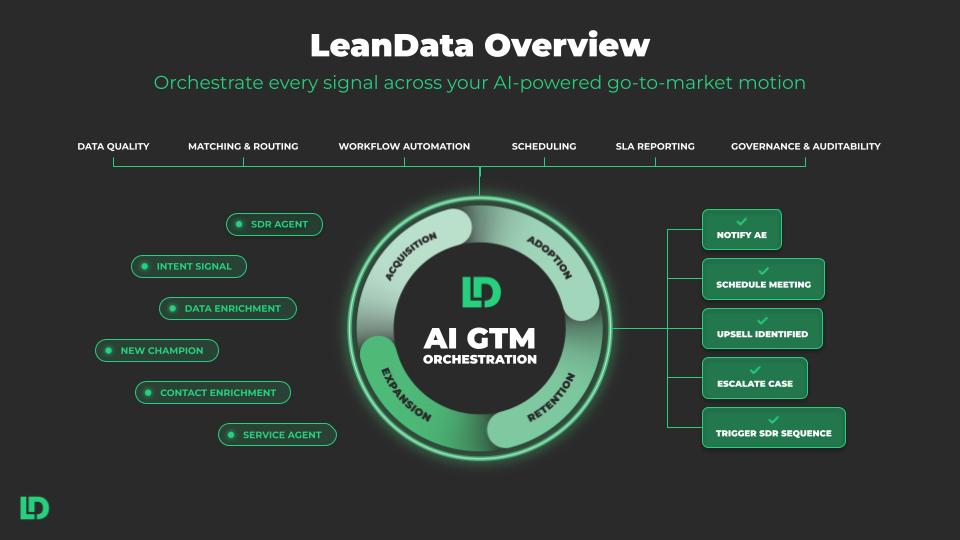
LeanData’s AI development goes well beyond a single routing feature. The platform has been layering AI across matching, orchestration, scheduling, buying groups, and account intelligence since late 2025.
The common thread across all of it: AI handles interpretation, the ops team retains governance, and every action is auditable.
LeanData’s AI roadmap points toward interactive graph administration, where AI helps teams model, test, and improve routing workflows in real time. The governing principle stays the same: AI makes the system more adaptive without removing the operations team’s control over it.

Show video transcript Hide video transcript
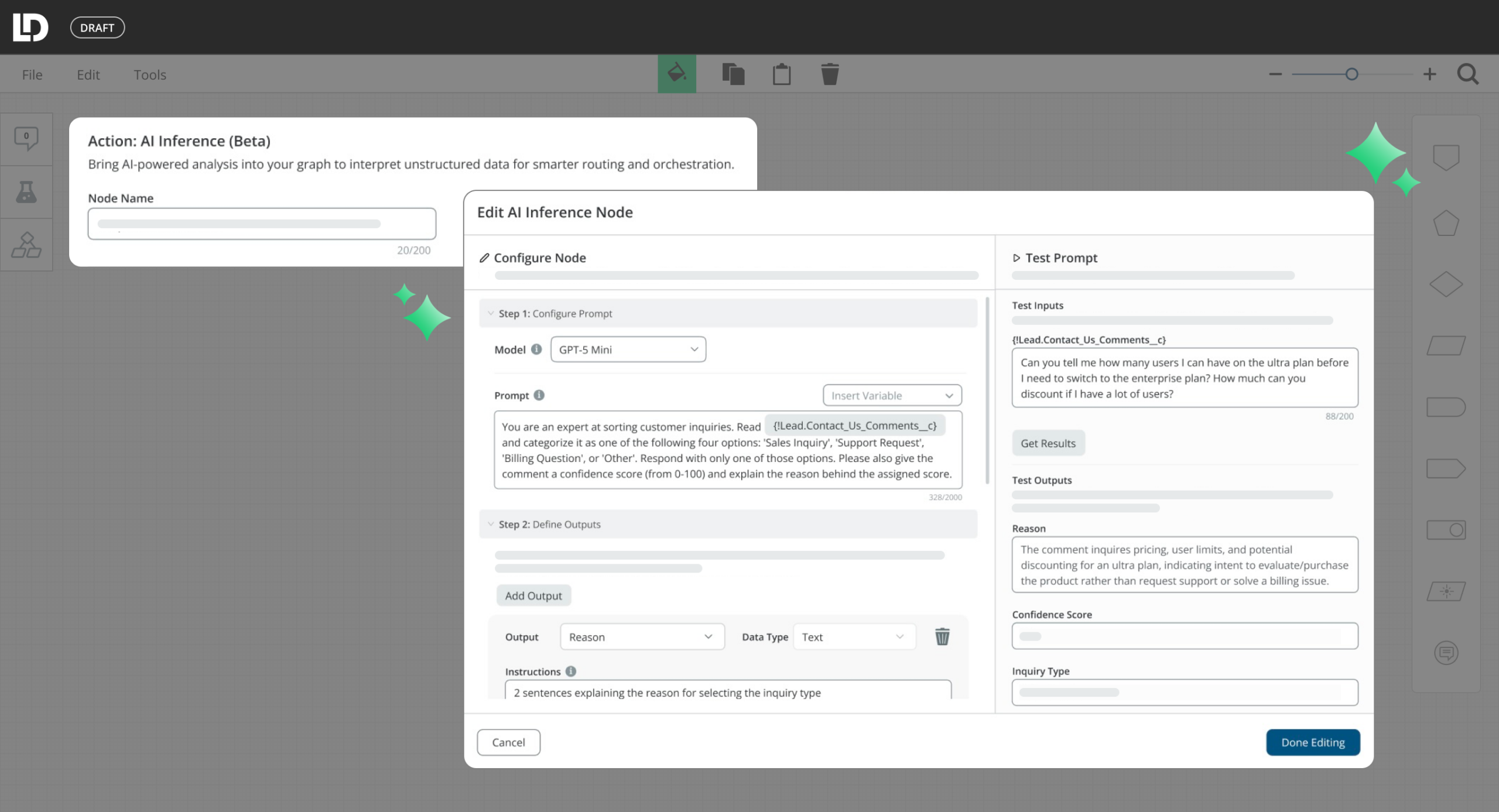
And if it equals high, we want to route that to a AE as a priority assignment. Let’s say if it equals medium, we route that to a standard round robin. So we’ll do that there and then, if it equals low, let’s just assign it to a nurture queue or some other general assignment. So to recap, when a lead comes in with an open ended form response, the AI inference node will send that text to your AI provider, which will classify the lead quality and then stores that result in a variable. Then a later decision node will branch on that variable to route leads to different reps based on the quality of the lead, and if the AI call times outer errors, they’ll still get routed through a fallback path. One more thing worth mentioning, if you want to keep that quality classification for reporting purposes, you could add an update record node after this decision node to stamp the lead quality tier value back onto the lead record in Salesforce. That way your team has visibility into the distribution of that lead quality over time. Well, I hope that helps you.
Five AI Use Cases in Lead Routing and Qualification
These use cases work regardless of which platform you use. Each follows the same pattern: AI converts an unstructured or ambiguous input into a clean, structured value, and your routing workflow takes it from there.
1. Classify Inbound Intent from Form Comments
Most inbound forms include a free-text field. Prospects describe their situation in their own words, and those words contain useful signal about whether they are a good-fit prospect, a partner, a competitor, or someone looking for support. The challenge is that keyword matching breaks constantly. Synonyms, different phrasing, and non-English inputs all create gaps.
An AI step reads the comment, classifies the intent into categories your team defines, such as prospect, partner, competitor, or support, and passes a clean value to your routing workflow. Teams operating globally benefit particularly from this because AI handles multiple languages naturally, without requiring separate keyword lists for each one.
One practical consideration: design a fallback path for blank fields. Not every visitor fills in the comment box, and your workflow needs a clear path for empty inputs.
2. Standardize Job Titles for Accurate Routing
“VP of Revenue Operations,” “Head of RevOps,” and “Revenue Ops Lead” describe the same role. Routing logic built on string-contains rules treats them as three different inputs. Every new title variant that enters your database is a potential misroute until someone manually updates the ruleset.
An AI step classifies the raw title into a standardized function and seniority level, for example C-Suite, VP, Director, Manager, or Individual Contributor. Routing decisions run on the clean output. C-suite and VP-level leads go to account executives. Managers and individual contributors go to SDRs for qualification.
Keeping seniority categories to four or five levels is enough to drive meaningful routing decisions without overcomplicating the logic downstream.
 “AI transformation at scale is hard. Right? And especially here at Adobe, we have a global sales org of 5,000 sellers, and then everywhere in the press, you hear about stories of AI not delivering value and that’s fairly commonplace. But I think the key skill point is when you’re able to embed the AI into an existing business process, and that you’re not creating something new just for the sake of AI.”
 Bob Yang


3. Score Leads Using Multiple Signals and Account Context
Standard point-based scoring models assign value to individual fields, but they miss the relationship between signals. A lead with a strong title, a high-intent form comment, and a matched target account should score differently than a lead with only a strong title. A traditional scoring model cannot make that synthesis.
An AI step reads multiple inputs simultaneously, including title, company size, lead source, and matched account context, and produces a composite priority tier. The routing workflow branches on that tier rather than a single-field threshold. Top-tier leads go directly to an account executive. Others route to round-robin, an SDR queue, or a nurture campaign based on the tier.
Writing the AI rationale back to a custom CRM field matters here. Reps want to understand why a lead landed in their queue, and operations teams need an audit trail to verify routing decisions over time.
4. Extract Competitive Intelligence from CRM Fields
Competitive signals appear in closed-lost reasons, call notes, renewal summaries, and discovery notes. They are buried in free text, often with abbreviations, informal references, or misspellings. By the time someone reads through and spots the pattern, the intelligence is outdated and the deal is already gone.
An AI step scans those fields on record creation or update, identifies competitor mentions even when they are indirect or misspelled, and triggers downstream actions automatically. Those actions might include alerting the account executive, flagging the account for a competitive review, or enrolling a contact in a competitive nurture sequence.
Tying extraction to account-level logic ensures that a single competitor mention surfaces across all related records, not only the one record where it first appeared. Consequently, operations teams get a fuller picture of competitive exposure across the account rather than a fragmented view.
5. Detect At-Risk Accounts Before the Signal Is Obvious
Customer success teams collect survey feedback after check-ins and quarterly business reviews. The strongest churn signals are typically in the written responses. A score of seven out of ten tells you something. A comment that says “this has been more complicated than we expected” or “we’re evaluating what else is out there” tells you a great deal more. Rules-based logic cannot read tone or detect hedging language.
An AI step classifies free-text survey responses as Positive, Neutral, or At Risk. At Risk triggers an immediate action: a task for the customer success manager, an alert to the account escalation channel, and a flag on the account record for review. Neutral logs a note for the next check-in. Positive reduces follow-up priority so the team can focus elsewhere.
This pairs particularly well with NPS programs because AI catches negative sentiment even in cases where the numeric score looks acceptable on the surface.
What to Expect Before You Roll Out AI in Routing
Three realities come up consistently when operations teams move from testing AI in routing to deploying it in production.
Data quality upstream still matters.
AI can interpret messy inputs and fill gaps that keyword matching cannot. It cannot fabricate signal that does not exist. Blank fields, duplicate records, and mismatched account data still create problems. Adding AI to your routing workflow works best when your foundational data practices are solid. AI amplifies what is already there, for better or worse.
Model selection affects both speed and accuracy.
Lighter, faster models handle straightforward classification tasks well and keep lead velocity high. More complex tasks, such as multi-signal scoring, cross-object reasoning, or tone detection in survey responses, benefit from more capable models. Understanding what you are asking the AI to do before choosing a model helps you get the right balance between speed and precision.
Security and procurement reviews take longer than you expect.
If your organization runs a third-party risk management process, an AI step that connects to an external large language model will require its own review, even if your routing platform is already an approved vendor. The data flow changes, and security teams will have questions about where data goes and how it is used. Starting that conversation early, and preparing clear documentation in advance, shortens the timeline considerably.
Frequently Asked Questions
What is an AI GTM tool, and how does it differ from standard marketing automation?
Can AI fully replace rules-based lead routing for enterprise B2B teams?
What AI capabilities should I look for in a lead routing or GTM orchestration platform?
How does LeanData use AI in its GTM orchestration platform?
Learn more about LeanData AI GTM Orchestration

Kim Peterson
Kim Peterson is the Senior Manager of Content Strategy at LeanData where she digs deep into all aspects of go-to-market strategy and execution. Kim's writing experiences span tech companies, stunt blogging, education, and the real estate industry. Connect with Kim on LinkedIn.