








Summary
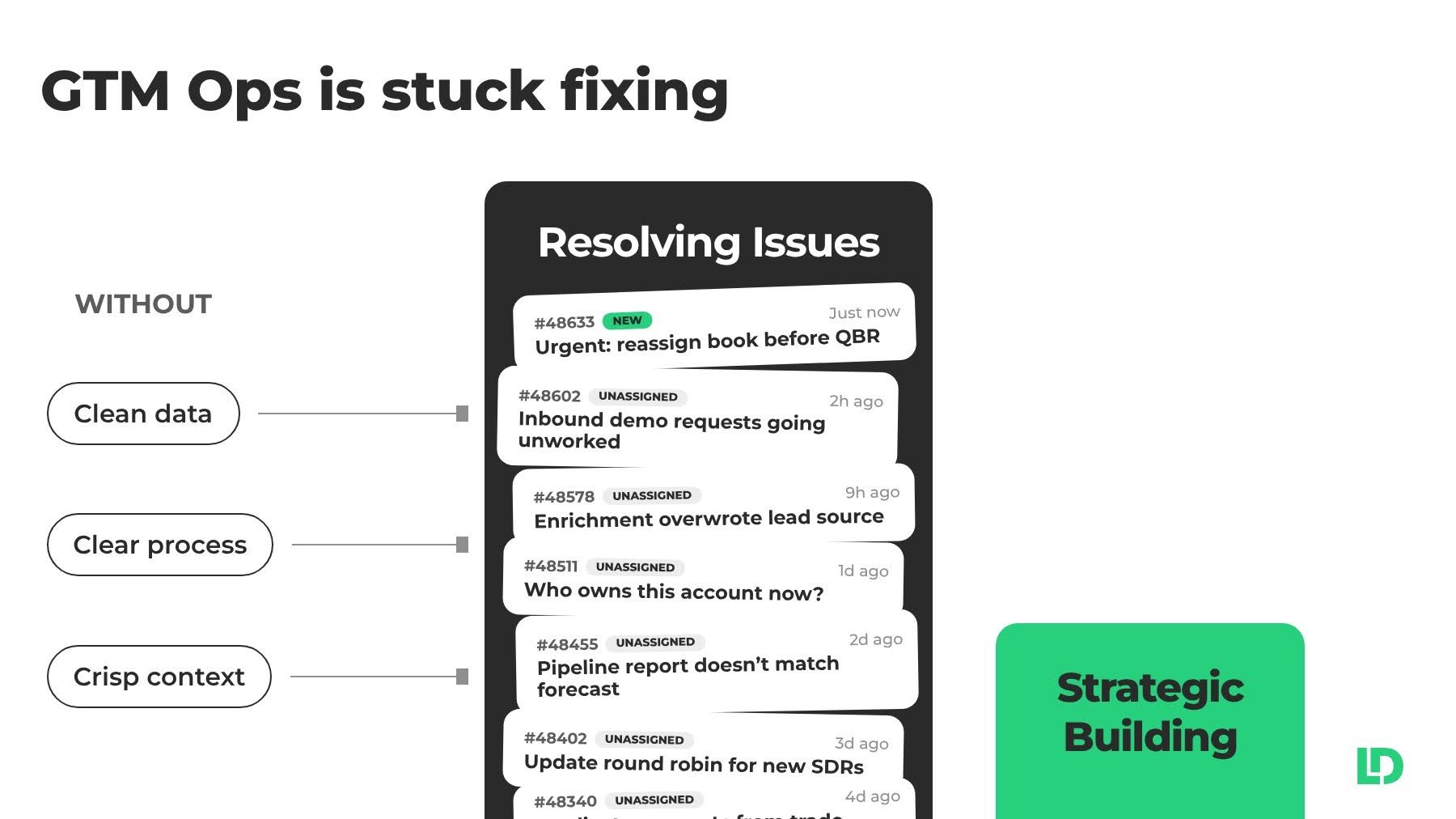
Without clean data, a clear process, and crisp context, Ops is stuck resolving issues one ticket at a time. So the strategic work waits. Agentic GTM operations puts AI agents to work for your team, so you spend less time fixing and more time building. Run by LeanData does that by working the requests, finding issues proactively, and keeping your business rules current, with your approval at every step.
What You’ll Learn
- Why every AI initiative in the GTM stack ends up on the Ops team’s desk
- How Fix, Find, and Define each relieve your Ops team of a specific kind of workload
- How approvals and earned autonomy keep you in control of every action
- Where Run fits with LeanData Orchestration, and whether you need Orchestration to use it
- How to join the early access list
Run by LeanData Is Now in Early Access
The AI Reckoning Lands on the Ops Team
Open any Ops team’s Slack channel on a weekday and you’ll find a familiar lineup. First, a seller can’t save an opportunity. Next, a lead lands with the wrong rep. Then someone asks who will take over the renewals of an account manager who just gave notice. Any single request takes a few minutes. Added up, they eat the week and leave little time for anything else.
At the same time, the pressure to put AI to work keeps climbing. When LeanData surveyed customers this spring, 93% of GTM teams had at least one AI agent deployed, yet only 31% felt their infrastructure was prepared for it.
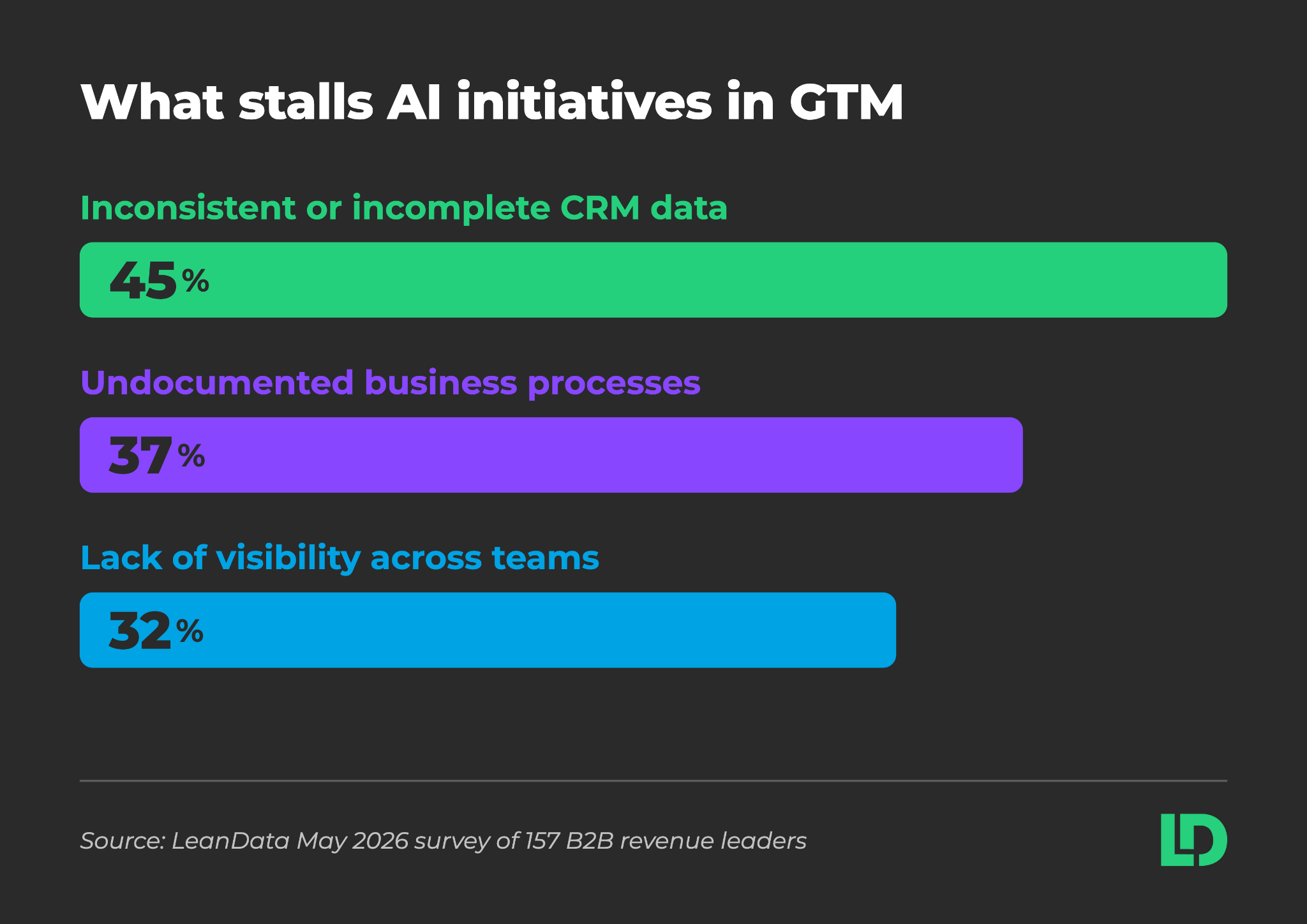
Respondents also named what stalls their AI initiatives. Bad data leads at 45%, followed by undocumented processes at 37% and siloed teams at 32%. As a result, each blocker lands on GTM Ops, because Ops owns the data, the process, and the context that every agent depends on.
Kaushik Patel, Head of GTM Systems and Analytics at Vanta, framed the urgency this way: “Everyone is putting AI to work in GTM. No one team owns the data, policies, and workflows it runs on. And every new AI agent we add makes that more urgent for Ops to solve.”
Why GTM Ops Is Stuck in Fixing Mode
Ops teams want to spend their time on more strategic work like new AI workflows, agentic deployments, and territory redesigns. Instead, issues and requests rule their calendar.
“Seventeen hundred tickets in three months, and that’s record assignment alone. That’s a full‑time job for somebody on my team. Every hour we spend there is an hour we don’t spend on the thing that would stop the tickets coming back.”Senior Manager
On top of that, finding problems takes just as long. Nicole Peinado, Revenue Technology Manager at Uber for Business, said: “We find out one of two ways. Somebody complains, or we go and verify it by hand. We can’t do that weekly, so we get to it maybe twice a year. Everything that breaks in between is running until somebody notices.”
Without clean data, a clear process, and crisp context, Ops keeps resolving issues one ticket at a time. So the strategic work waits.
That’s where Run by LeanData comes in. Run is the agentic solution for GTM Ops. It spots what’s wrong in your revenue systems, traces the root cause, and handles the fix, always staying grounded in your business context and waiting for your approval along the way.
What Agentic GTM Operations Looks Like with Run
Run helps Ops spend less time fixing and more time building. What does that actually mean? In practice, it changes four things about the day:
- Decisions instead of tickets: Run investigates a request and brings Ops a proposed resolution to approve.
- Work ahead of you: Run checks your CRM for problems before anyone raises them in a forecast call.
- Learning from every decision: Run uses each approval and rejection to get the next proposal right.
- Autonomy earned through approval: Run can earn standing permission for narrow, repeated work, and you can revoke it at any time.
How Run Works: Fix, Find, and Define
First, Run is one product with one interface. Inside it, specialized agents work on narrow jobs. From there, three capabilities cover the Ops workload.
What a Day with Run Looks Like
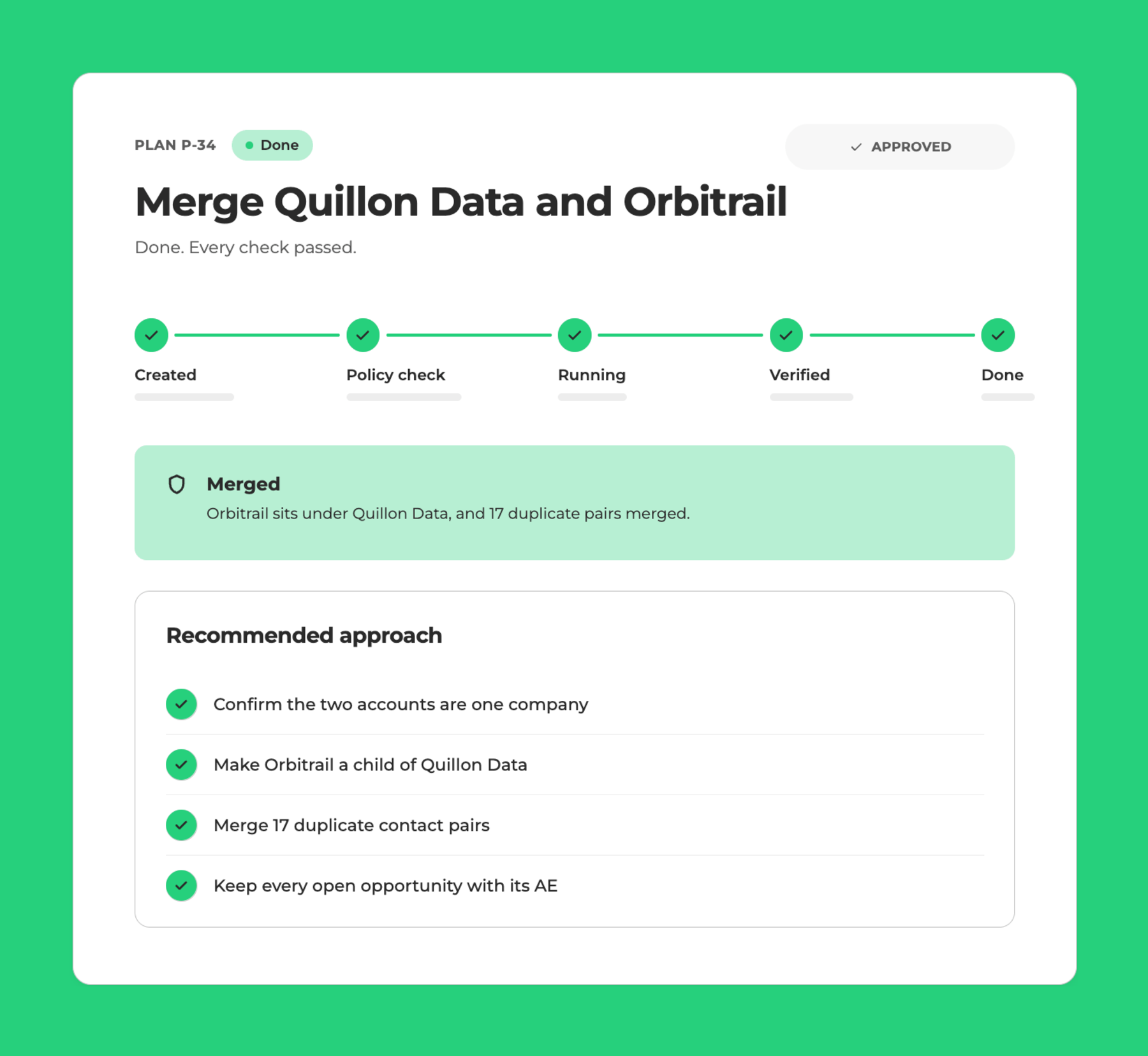
Start with Fix. A request comes into your RevOps Slack channel to merge two accounts due to a recent acquisition. Run picks up the ticket, verifies the situation, checks it against your policies, and resolves it once you approve. After you approve the same type of fix a few times, Run can stop asking.
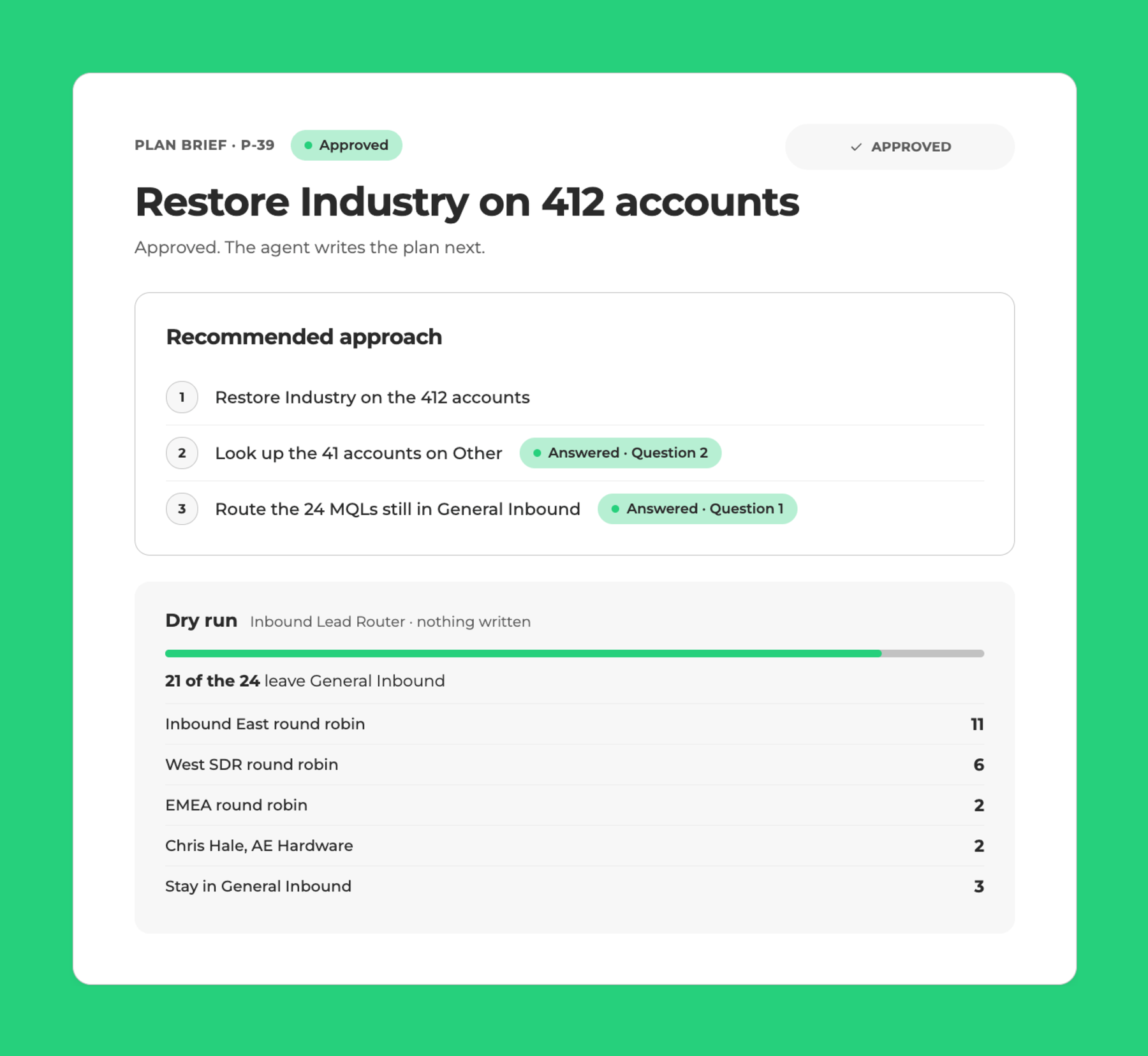
Find works on the problems nobody has reported yet. Say open opportunities still belong to reps who left the company. Normally, no one notices until the forecast review. Instead, Run flags it right away and proposes how the opportunities should be reallocated in line with your policies. You approve and it does it for you.
Behind both sits Define. Everything Run does draws on a shared policy and context foundation, which is a working record of how your business runs. It starts with a Data Dictionary, a running record of what each field means and which value is correct. So if you have five fields called Country, every human and agent on your team knows which one to use.
Next, it adds your policies and business context. You can describe the rules you already know in plain language, and Run proposes new ones based on the patterns it sees in daily work. After that, it waits for your approval before anything becomes official. For example, a policy can say that open opportunities keep their AE when an account changes owner, unless that AE is inactive. The rules no longer live in one person’s head.
How Run Fits with the LeanData Platform
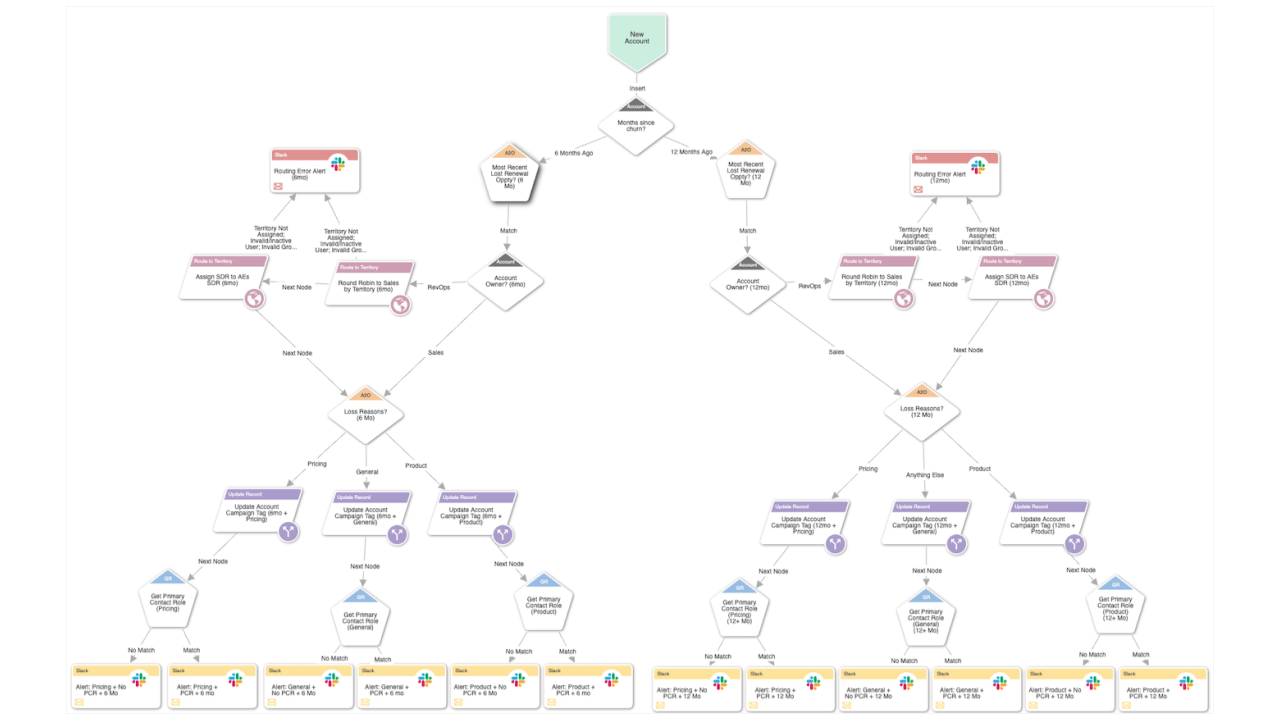
Run is built for GTM Ops teams on Salesforce, with or without LeanData Orchestration. If you already run Orchestration, Run reads your routing graphs for context and traces the root cause of routing issues.
Run starts from what LeanData has learned from more than 1,000 companies and 2 billion GTM decisions a year. For over a decade, we have sat across marketing, sales, and customer success, right at the handoffs where AI tends to break. Consequently, Run starts smart and keeps its context current as the work happens.
Start Running with Early Access
Run made its debut at OpsStars 2026 in San Francisco on October 5 during the opening keynote. The session walked through the AI readiness gap and showed Fix, Find, and Define in a demo built on a clickable prototype, so it shows progress to date and the final product design may differ.
Run is currently in early access. Sign up here to join the Run community and stay current on updates and timelines.
Ready to Clear Your Ops Queue?
FAQ
What is agentic GTM operations?
What is Run by LeanData?
Do I need LeanData Orchestration to use Run?
Will Run change my Salesforce data without asking?
How do I get access to Run?