










Summary
Account-based routing connects inbound leads to the Salesforce accounts and account owners your account-based marketing (ABM) program already recognizes, so every buyer signal reaches the right rep with full context. This guide covers how the process works step by step, how to build it natively in Salesforce, and how to decide when a purpose-built orchestration platform makes more sense than a custom build.
What You’ll Learn
- How account-based lead routing differs from standard lead routing, and why it matters for ABM execution.
- How to configure account-based routing natively in Salesforce, step by step.
- How long it realistically takes to launch, with and without a purpose-built tool.
- How to decide whether to build in Salesforce or invest in a dedicated orchestration platform.
Account-Based Lead Routing in Salesforce
Most account-based marketing (ABM) programs are built carefully. Teams spend weeks selecting target accounts, building personalized content, and aligning sales and marketing around shared goals. Then an inbound lead from one of those accounts arrives, sits in a queue for two days, and gets routed to the wrong rep.
That’s not a targeting problem. It’s a routing problem, and it’s more common than most revenue operations teams want to admit.
Account-based lead routing is the operational layer that connects your ABM strategy to actual execution. Without it, you can identify the right accounts, but you can’t act on them consistently.
This article explains what account-based routing is, how it works step by step inside Salesforce, where traditional approaches break down at scale, and how to decide whether to build it natively or use a purpose-built orchestration platform.
What Is Account-Based Lead Routing?
Standard lead routing assigns inbound leads based on individual fields: geography, company size, lead source, or industry. It treats each lead as a standalone record and evaluates it against a set of rules to find an owner.
Account-based lead routing takes a different approach.
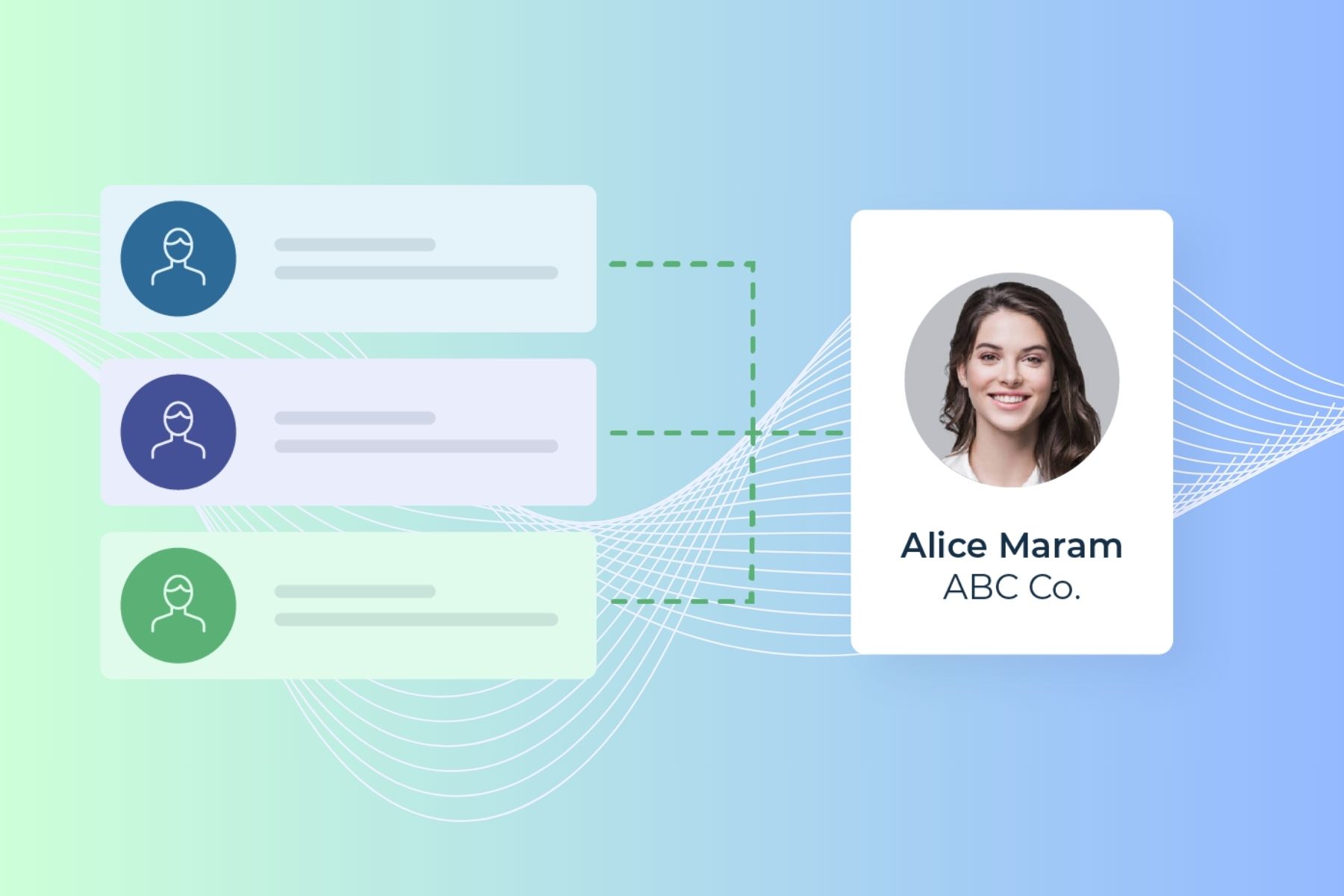
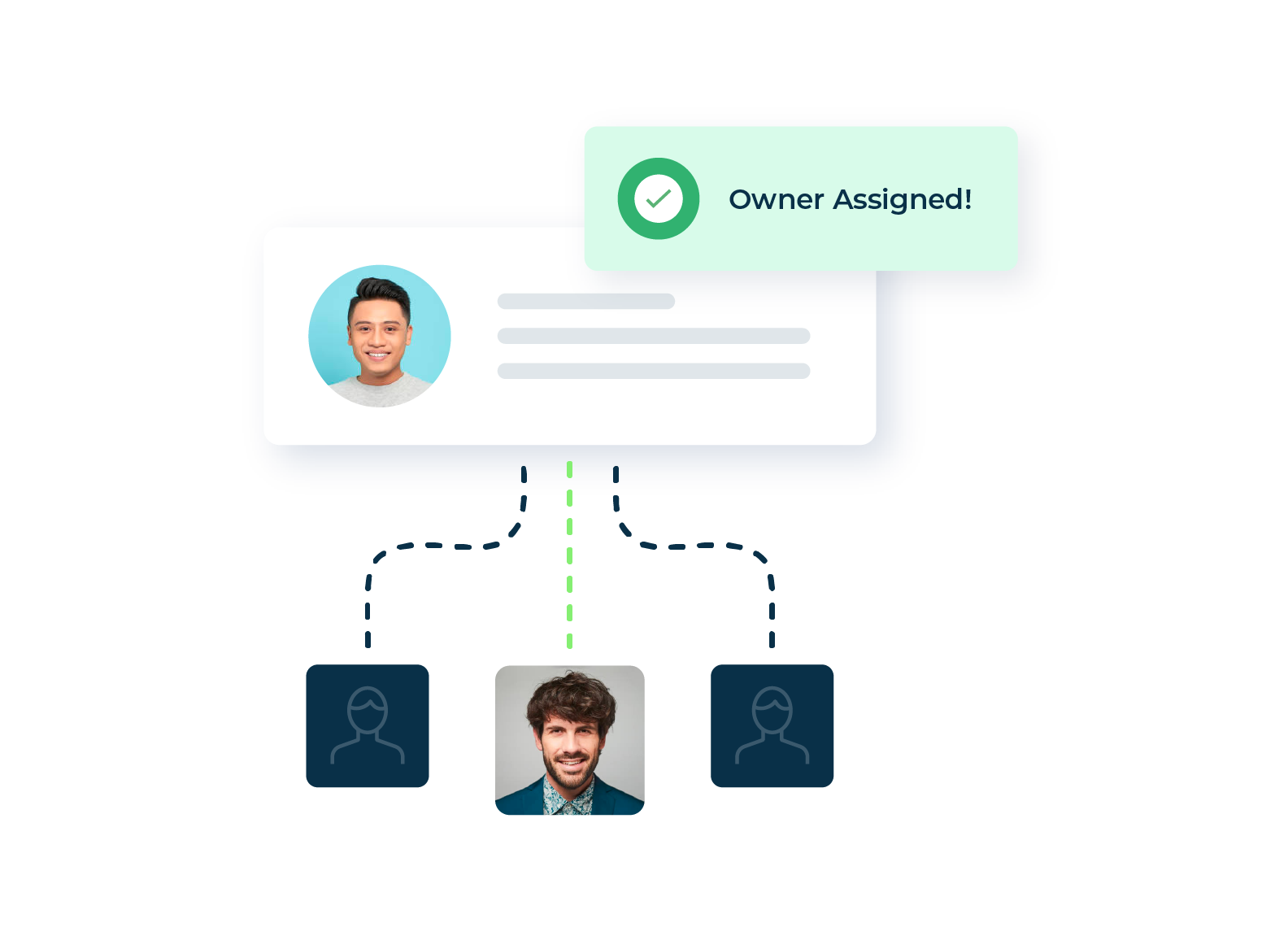
Instead of evaluating the lead in isolation, it first matches the lead to an existing account in Salesforce, then routes the lead based on who owns that account. The logic follows the account, not just the lead.
This matters enormously for ABM programs because your target accounts already have owners.
When a contact from Acme Corp fills out a demo form, that lead should go directly to the rep or SDR already working the Acme Corp account, complete with context on what Acme Corp has done, what content they have consumed, and where they sit in your ABM program.
The alternative, routing that lead without the account connection, means the rep starts cold on a warm account.
Travis Henry, Director of SDR Operations and Enablement at Snowflake, said it plainly: “Companies that want to go to market in an account-based way are ultimately dealing with individual people who work at those companies. If you can’t connect the dots between people and accounts, your strategy will fail from the start.”

How Account-Based Lead Routing Works
A well-built account-based routing workflow in Salesforce moves through several steps, each of which needs to happen in seconds rather than hours.
The output of this sequence is a coordinated account-based motion where every inbound signal becomes a trigger for intelligent action across your revenue team.
How to Set Up Account-Based Lead Routing in Salesforce
Salesforce has native tools that support routing, but they require significant configuration to support account-based logic. Here’s how teams typically build this out.
Lead assignment rules. Salesforce’s native assignment rules evaluate leads sequentially against a list of criteria and assign to a user or queue. For account-based routing, you would configure rules that evaluate a custom field linking the lead to an account owner. The challenge is that this field has to be populated before the assignment rule runs, which requires a separate matching step.
Lead-to-account matching via Apex or Flow. Salesforce does not match leads to accounts natively. Teams typically build custom Apex code or Salesforce Flow automations that compare the lead’s email domain or company name against Account records.
A common approach is to add a lookup field on the Lead object that stores the matched Account ID, then write assignment rules that reference the Account Owner from that lookup.
This works for clean, consistent data but breaks down when company names vary, when subsidiaries are involved, or when leads come in from multiple sources with inconsistent formatting.
Territory management. Salesforce Enterprise Territory Management allows routing based on account territories. Once accounts are assigned to territories and territories are assigned to users, lead assignment rules can route leads to the rep who owns the matched account’s territory. This requires ongoing territory maintenance and does not handle edge cases like shared accounts or overlapping coverage.
Round robin with queues. For accounts without an existing owner, Salesforce queues can distribute leads, but true round robin assignment requires custom code or a third-party component. Salesforce does not natively balance queue assignment or account for rep capacity, vacations, or onboarding status.
Alerts and follow-up triggers. Salesforce Flow or Process Builder can send email alerts or create tasks when a lead is assigned. For Slack notifications or enrollment in a sales engagement platform like Outreach or Salesloft, additional integration work is required.
The native build works for teams with straightforward territory structures, clean CRM data, and Salesforce administrators who can maintain custom code over time. The complexity grows quickly as your ABM program scales, account lists change, and team structures shift.
Why Salesforce Native Routing Falls Short at ABM Scale
The native approach runs into predictable problems as ABM programs mature.
Challenge #1: Lead-to-account matching is brittle. Custom matching logic built on domain or company name requires constant maintenance. A lead from “Acme Corporation” may not link to the “Acme Corp” account unless someone maps those fields explicitly, and that mapping breaks the moment domain names vary, subsidiaries appear, or data comes in slightly different formats from different sources.
Challenge #2: Routing logic becomes a maintenance burden. As ABM programs grow, territory changes, team adjustments, and new account segments require constant updates to routing rules. What starts as a manageable ruleset becomes a complex flow that is not only hard to maintain, but also hard to explain to stakeholders.
Challenge #3: There is no account visibility at assignment. Standard Salesforce routing assigns a lead owner, but it does not surface account-level context alongside that lead. The rep who receives it still has to research who else at that company has engaged, where the account sits in the ABM program, and what signals have been captured.
Challenge #4: Round robin management is fragile. SDR teams are constantly in flux. Pools that are not updated when reps join, leave, or take time off send leads to people who cannot work them or create uneven distribution.
Challenge #5: AI signals have no path to action. AI intent platforms, predictive scoring tools, and AI SDRs generate a growing volume of signals about target accounts. Without an orchestration layer connecting those signals to routing logic, the signals land in dashboards that nobody acts on. An AI tool that identifies a high-intent account surge means nothing if the signal cannot trigger the right rep, at the right time, with the right context.
How Long Does It Take to Launch Account-Based Routing?
The honest answer depends on how you build it.
Building natively in Salesforce
A basic implementation, covering custom lead-to-account matching via Flow, assignment rules based on account ownership, and simple queue management, typically takes a Salesforce admin two to four weeks of configuration and testing.
More complex implementations involving custom Apex for matching, multi-tier territory logic, and integrations with sales engagement platforms can take two to four months, particularly if CRM data needs cleaning first.
Ongoing maintenance adds to the total cost, as every team change, territory adjustment, or new account segment requires admin attention.
Using a purpose-built orchestration platform like LeanData
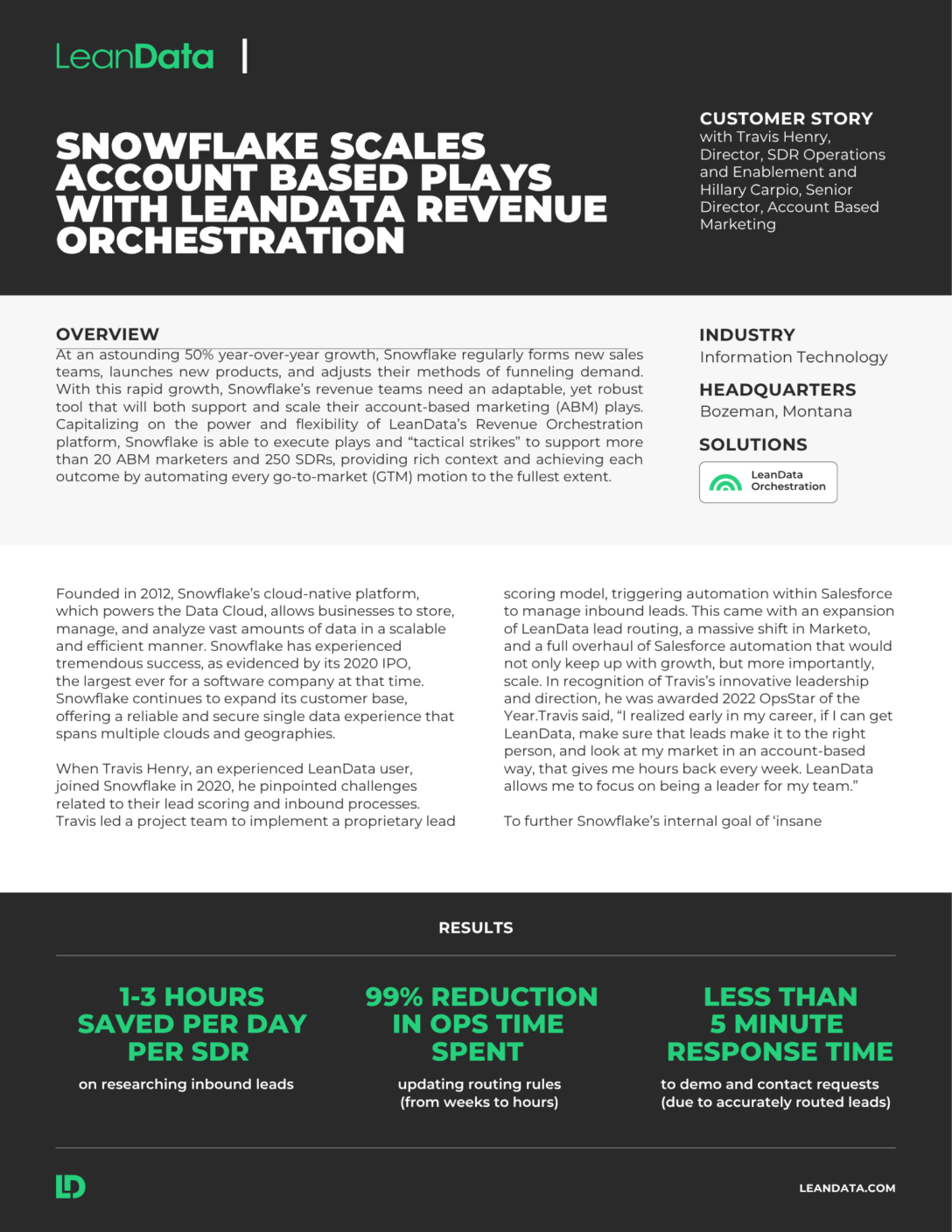
LeanData’s no-code FlowBuilder lets operations teams configure, visualize, and modify routing logic without engineering support. A standard account-based routing setup covering lead-to-account matching, territory-based assignment, and round robin pools can typically be configured and tested in days.
Routing updates that previously required weeks of development can be made in hours. Snowflake reported a 99% reduction in operations time spent updating routing rules after implementing LeanData.
When Snowflake launched an SDR team in a new country, Travis Henry noted: “Without LeanData, it would have been a bottleneck to launch that market and that team.” Instead, they stood up a new GTM motion in a new geography in just a few clicks.
The time difference compounds over the life of the program. Native Salesforce routing requires ongoing admin involvement every time something changes. Purpose-built routing tools give operations teams the autonomy to adjust flows themselves, with visual audit trails that make every change explainable and reversible.
The Most Common Account-Based Routing Mistakes
Revenue operations teams who have built and run ABM routing programs surface the same failure points consistently.
Routing leads without account context. When routing treats leads as individuals rather than as contacts within an account, reps lose the connection between inbound activity and existing account relationships. A lead from a current customer looks identical to a cold prospect. This creates awkward outreach and, as Travis Henry noted, risks a rep “mistakenly reaching out to a seemingly cold lead which in actuality is a customer account.”
No lead-to-account matching before assignment. This is the foundational error. If leads cannot be reliably matched to accounts, every downstream routing decision is built on incomplete data. Teams compensate with manual lookups, which kills SDR productivity.
Routing logic that nobody can read. Complex Salesforce flows built over time become difficult to audit and nearly impossible to explain. When routing errors occur, teams cannot diagnose them quickly. LeanData’s visual graph-based routing interface addresses this directly.
Stale round robin pools. SDR teams are constantly changing. Pools that are not updated create uneven distribution and leads routed to reps who cannot work them. Automated pool management, where membership updates based on Salesforce record changes, eliminates this problem entirely.
Signals that never reach reps. Many ABM programs invest in intent data and behavioral signals but never operationalize them inside the routing workflow. The signals sit in a separate platform while reps route off outdated information. When routing connects to signal data, reps receive warm leads with buyer context, creating what Snowflake’s team found to be a follow-up motion three times more likely to result in a meeting.
Ungoverned AI outputs. As AI SDRs, intent platforms, and predictive scoring tools multiply across the GTM stack, they generate signals that need to go somewhere and trigger something. Without a routing and orchestration layer that can ingest those AI-generated signals and govern what happens next, teams face a new class of routing failure: AI tools that produce outputs but have no reliable path to action.
Should You Build in Salesforce or Buy a Purpose-Built Tool?
This is the right question, and the honest answer depends on where your ABM program is today.
Build natively in Salesforce if:
- Your account list is small and stable
- Your territory structure is simple
- You have a dedicated Salesforce admin who can maintain custom code
- Your team does not rely on AI intent signals or AI SDRs yet
- Your routing rarely needs to change.
Use a purpose-built orchestration platform if:
- Your ABM program covers dozens or hundreds of target accounts across multiple territories
- Your team structure changes frequently
- You are ingesting signals from multiple platforms (6sense, Demandbase, ZoomInfo, AI SDRs)
- You need non-technical operations staff to modify routing logic without engineering support
- You need a visual audit trail for every routing decision
- You are scaling a one-team GTM motion where marketing plays and sales outreach need to coordinate around the same accounts
Mikayla Wilson, Senior Data Analyst at Workiva and OpsStars ABM Program of the Year finalist, described the moment purpose-built routing changed her program: “LeanData allows for account routing into campaigns, and that is a key integration between our CRM and our automation tools.” The ability to route accounts directly into Salesforce campaigns gave her team a tagging and tracking structure that native tools could not provide.
The practical test is this: if your routing logic requires more than a few hours of admin time to update when something changes, you have likely outgrown the native approach.
FAQ
What is the difference between standard lead routing and account-based lead routing?
Can Salesforce do account-based lead routing without a third-party tool?
How does account-based routing support buying group motions?
What happens to AI-generated signals without an account-based routing layer?
See how LeanData handles account-based routing inside your Salesforce org

Kim Peterson
Kim Peterson is the Senior Manager of Content Strategy at LeanData where she digs deep into all aspects of go-to-market strategy and execution. Kim's writing experiences span tech companies, stunt blogging, education, and the real estate industry. Connect with Kim on LinkedIn.