










Summary
Lead-to-account matching is the process of identifying whether an incoming lead corresponds to an existing account in your CRM. It forms the data foundation behind every downstream go-to-market (GTM) workflow. In this guide, we’ll cover how matching algorithms work, why Salesforce matching logic isn’t enough at enterprise scale, and how AI and fuzzy logic combine to achieve high accuracy. You’ll also learn what to look for when evaluating a B2B lead-to-account matching solution.
What You’ll Learn
- Why Salesforce doesn’t natively link leads to accounts and the downstream consequences for every GTM workflow.
- What fuzzy and AI-enhanced matching mean in practice and why enterprise B2B teams need them to work together.
- The most common places lead matching breaks down and how to repair them.
- How matching accuracy influences routing, speed to lead, ABM, buying groups, and AI GTM execution.
- What to look for in a matching solution and how LeanData’s matching engine works even when lead data is inconsistent.
The Data Decision That Drives Every GTM Motion
All of your GTM workflows depend on an important early decision: Is this lead matched to the right account?
When a prospect first submits a demo request, downloads a whitepaper, or visits your event booth, your system needs to understand who they are in the context of your existing CRM data.
- Are they from a new company?
- An existing prospect account?
- A current customer?
- An account with an open opportunity?
- A company you have been targeting for months through an ABM motion?
The answer determines everything that follows. It changes who the lead routes to, the sequence the rep uses, whether a new opportunity gets created or an existing one gets updated, and whether a buying group gets assembled or a renewal alert fires.
When the match is right, the system works. When the match is wrong (or missing entirely), leads route to the wrong rep, duplicates accumulate, and account owners have to work without context.
If you’ve deployed AI workflows, they’ll act on that flawed data at speed and scale.
Lead-to-account matching is not a downstream routing feature. It directly builds the data foundation that every other GTM process depends on.
What Is Lead-to-Account Matching?
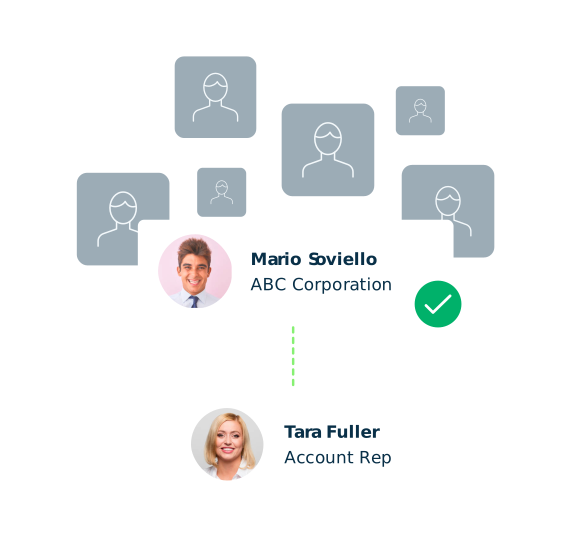
Lead-to-account matching is the process of identifying whether an incoming lead record in your CRM corresponds to an existing account, and if so, which one.
In Salesforce and most CRM platforms, leads and accounts exist as separate objects. A lead is an individual person with a name, a company name, an email address, and additional fields.
An account is a company or organization with its own data, contacts, and ownership. Salesforce does not natively create a relationship between the two. A lead from a company called “HP” and an account named “Hewlett-Packard” will sit as unrelated records unless something connects them.
Lead-to-account matching is the layer that connects these separate objects.
The job of a matching engine is to evaluate the data associated with an incoming lead, such as company name, email domain, website, phone number, and address, and compare it against the accounts in your CRM to determine whether the lead belongs to one of them.
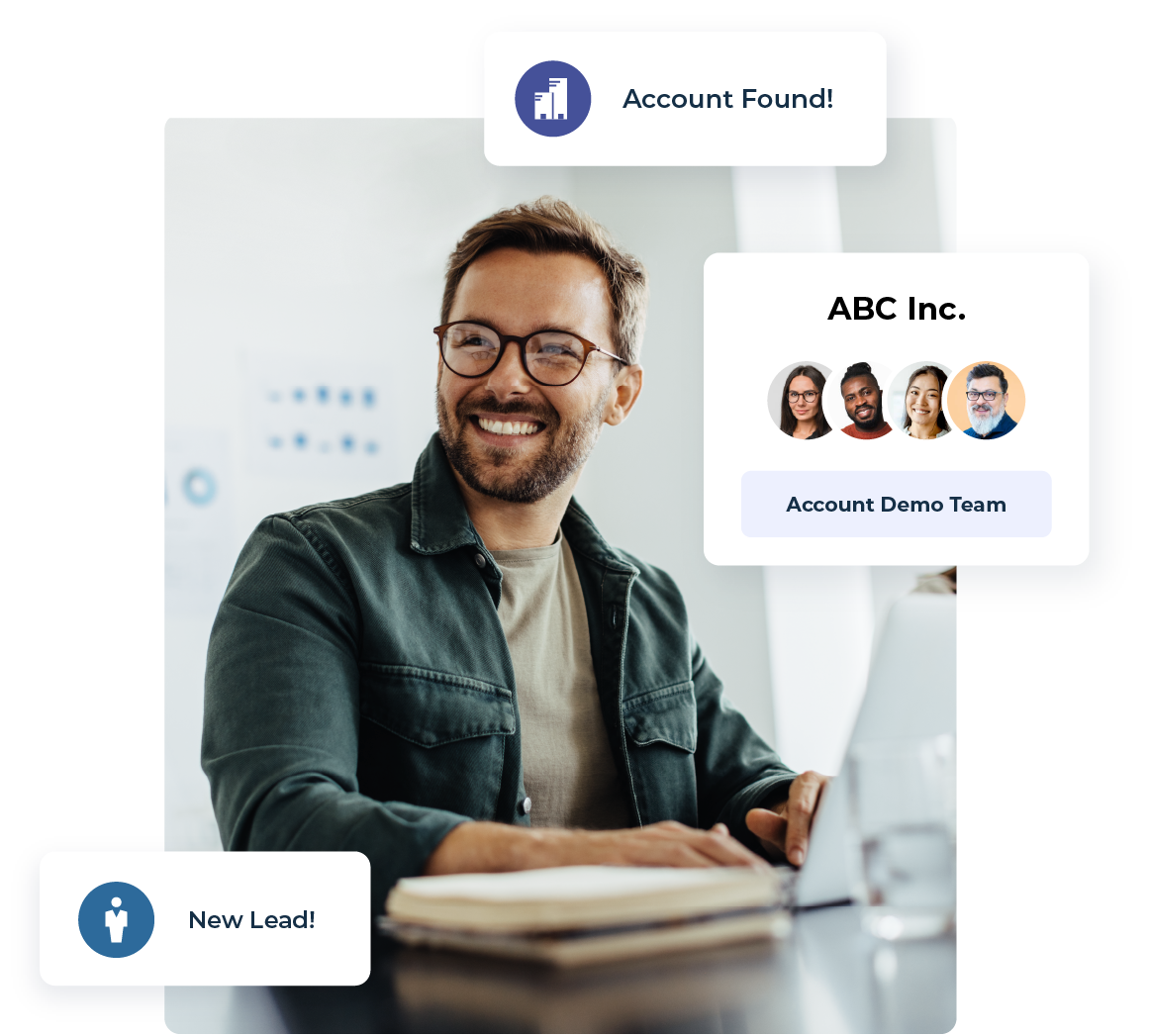
When a match is confirmed, the lead routes to the owner of that account. The rep can see the full context, so the following engagement sequence reflects any existing relationship.
Downstream processes affected by account matching like ABM, buying group orchestration, and renewal tracking then work as designed. Without effective matching, leads are left to float as an orphan, route to the wrong person, or sit in a queue where no one with account context will ever see it.
Once it happens, even one bad match becomes a problem for both data quality and revenue.
Why Native Salesforce Lead Matching Is Not Enough
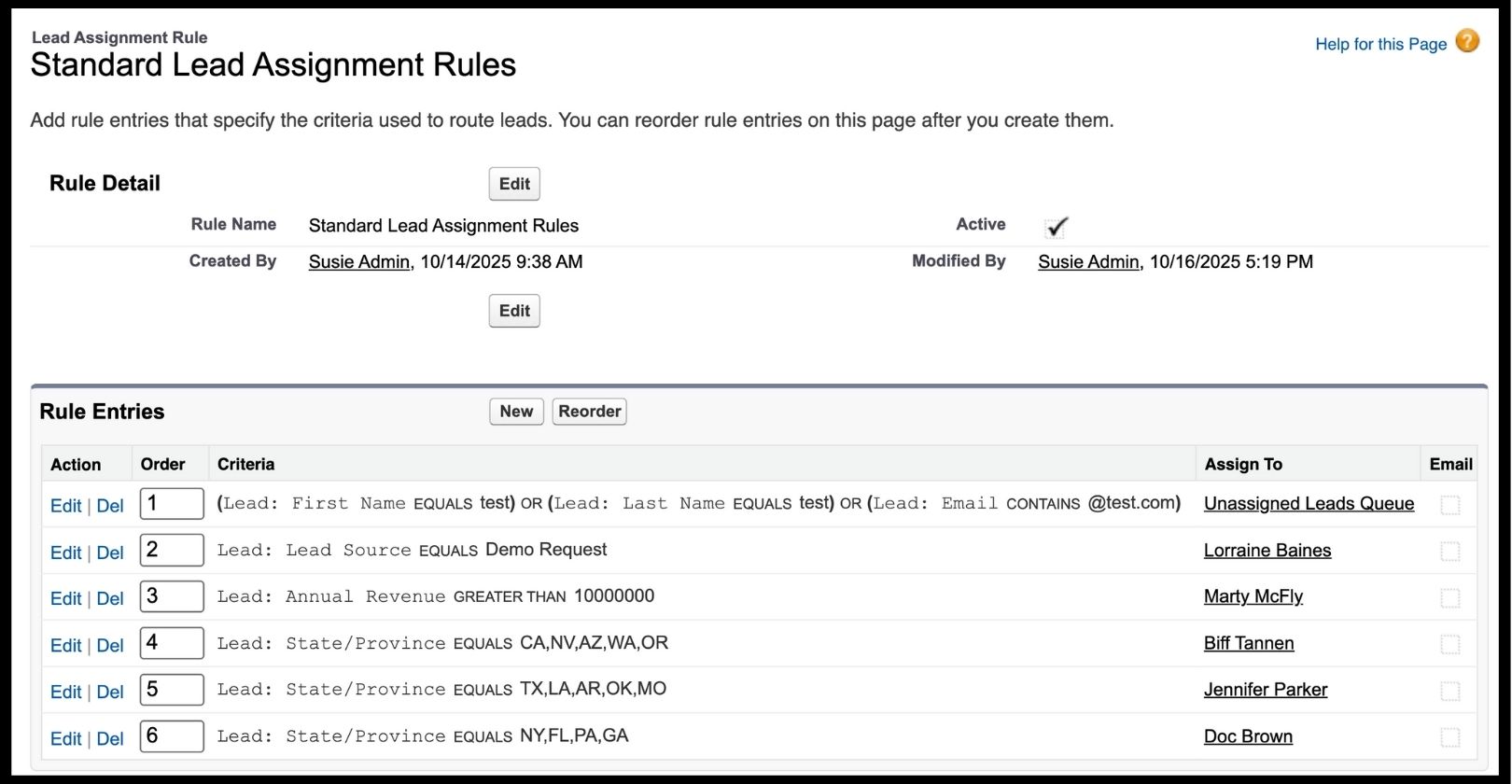
Salesforce offers two native mechanisms that approximate matching. Lead Assignment Rules route leads to queues or users based on field criteria like country, source, or company name. The Convert button allows a rep to link a lead to an account manually during conversion.
The problem is that both of these have significant limitations at enterprise scale. Lead Assignment Rules support only leads, not contacts, accounts, or opportunities. They apply simple logic: If company equals “HP,” route to this queue. There’s no ability to handle the natural variations in how real buyers fill out forms. They do not perform fuzzy matching, and they require ongoing admin involvement whenever territory or naming rules change.
Manual conversion relies entirely on the rep knowing that a match exists. When account context isn’t automatically available, reps have to make conversion decisions based on incomplete information or skip the step entirely.
For organizations that outgrow native assignment rules, the next step is often to turn to custom Apex triggers and Salesforce Flows. That approach introduces developer dependency, maintenance overhead, and greater vulnerability when org structures change.
Purpose-built matching solutions run natively inside Salesforce as managed packages without external data syncs or API latency. They evaluate standard, alternate, and custom enrichment fields simultaneously and write results back to CRM records in real time.
For a step-by-step breakdown of how matching works inside Salesforce, see Salesforce Lead-to-Account Matching, the Easy Way.
How Lead-to-Account Matching Works
A matching algorithm evaluates several fields simultaneously to determine whether a lead and an account represent the same organization. No single field is sufficient on its own. Instead, the algorithm looks for convergent evidence across multiple signals.
The fields that drive the match
Looking at multiple fields helps matching algorithms find convergent evidence that’s stronger than a single signal. Each field contributes differently to its confidence in making a match determination.
When a match is confirmed
A close company name match combined with at least one supporting signal (e.g., domain, phone, or address) is generally sufficient. When multiple accounts qualify as plausible matches, configurable tie-breaking logic determines the best one based on business-specific criteria: geography, existing contact relationships, account type, or other admin-defined rules.

Fuzzy vs. AI-Enhanced Matching
Of course, not all matching logic is the same. You’ll need to understand the difference when evaluating whether your current setup can handle the data reality of your CRM.
Exact matching requires character-for-character field alignment. “HP” will not match “Hewlett-Packard.” “hp.com” will not match “us.hp.com.” For organizations with clean, standardized data, exact matching can work for simple scenarios. However, for any team dealing with organic lead data from forms, events, and third-party lists, it will miss matches constantly.
Fuzzy matching allows a higher level of tolerance for variation. The algorithm handles abbreviations, acronyms, legal suffix normalization, tokenized word components, and natural language differences in how people describe their employer. This is the baseline requirement for enterprise B2B data.
AI-enhanced matching extends this further. Machine learning models trained on large datasets recognize corporate relationships, subsidiaries, and domain associations that rule-based logic would miss. AI-driven title normalization standardizes free-text job title fields into a consistent taxonomy that supports persona identification and buying group assembly downstream.
LeanData matching combines best-in-class fuzzy logic with AI-enhanced normalization and maintained subsidiary and parent company mappings, achieving 95 percent match accuracy across enterprise Salesforce environments.
Where Lead-to-Account Matching Breaks Down
Understanding the most common failure modes helps operations teams diagnose where their current setup is falling short and where to look when routing problems surface downstream.
How Matching Connects Across the GTM Motion
Lead-to-account matching is the first step in a chain of downstream decisions. Getting it right unlocks value across every stage of the revenue lifecycle. Getting it wrong multiplies errors at every stage that follows.
Routing and speed to lead
Speed to lead is one of the strongest predictors of conversion in B2B sales—but matching is the prerequisite. Before a lead can route to the right rep, it needs to match to the right account. A lead that routes instantly to the wrong rep is no better than a lead sitting in a queue. Accurate matching is what gives routing its accuracy.
Account-based marketing
ABM strategies invest in reaching the buying committees at target accounts. When a lead comes in from a target account, the system needs to recognize it, attach the lead to the account, alert the AE, and align the engagement sequence with the existing ABM play.
When matching fails, that investment goes to waste: marketing spent budget to engage someone at a priority account, and the system treated them like a net-new prospect.
Buying groups
A buying groups motion identifies all the stakeholders at a target account and coordinates actions across the committee. For that to work, every individual who touches content, attends events, or submits forms needs to correctly match to their account and be recognized as a potential buying group member. If matching fails, they never join the buying group, the committee looks incomplete, and the deal reaches sales with gaps the rep has to manually address.
Post-sale retention and expansion
Customer accounts generate inbound activity throughout the relationship: support inquiries, event registrations, new user signups, product-led signals.
Accurate matching connects these touchpoints to the right customer account, giving the CSM a full picture of engagement. When matching fails post-sale, customer activity routes to an SDR chasing new business, and the account team never sees the expansion signal.
 “LeanData plays a critical role in our post-sale customer journey by ensuring every customer touchpoint, whether onboarding, adoption, support, or expansion, is routed to the right person at the right time. By eliminating manual handoffs and ensuring accurate account matching, LeanData helps us deliver faster responses, more personalized engagement, and a more consistent customer experience.”Navya Geethika Kottakota

AI GTM workflows
AI tools across the stack: intent platforms, scoring models, and AI SDRs generate signals about buyer behavior that need to land on the right accounts to be actionable. An intent spike from a key buyer that matches to the wrong account will never reach the rep who should act on it.
A lead score that routes to the wrong territory manager is worse than no score at all. Clean, accurate matching is the foundation that makes AI workflows trustworthy. Organizations investing in AI-powered GTM should treat matching as foundational infrastructure, not a cleanup task to address after AI is already running.
What to Look for in Lead-to-Account Matching Software
When evaluating matching solutions, these are the capabilities that determine whether a tool can handle enterprise-scale data complexity and scale alongside the organization.
- Fuzzy matching logic. Any solution that relies on exact field matches will underperform in real-world B2B environments. The algorithm must handle variation in company names, domains, and naming conventions. Tokenization, normalization, and acronym recognition are signals that a matching engine was built for enterprise data.
- Multi-field evaluation. Strong matching evaluates company name and email domain and website domain and phone and address simultaneously, looking for convergent evidence rather than triggering on a single field.
- Custom and enriched field support. Enterprise organizations often rely on enrichment data stored in custom Salesforce fields. A matching solution that evaluates only standard fields misses significant signal.
- Configurable tie-breaking rules. When multiple accounts are plausible matches, business-specific logic, not a black box, should determine the best one. Geography, existing contact relationships, account type, and other admin-defined criteria should all be configurable.
- Subsidiary and parent company recognition. The matching engine should include maintained mappings of subsidiary and parent relationships, including domain synonyms for major enterprise brands.
- Transparent audit logging. Operations teams need to trace every match decision: which account was selected, which fields drove it, and what alternatives were evaluated.
- CRM-native architecture. Matching logic that runs inside Salesforce eliminates sync delays, API overhead, and the risk of data leaving the CRM environment.
How LeanData Approaches Lead-to-Account Matching
LeanData’s contextual match engine is built to close the lead-to-account gap natively inside Salesforce, at enterprise scale.
How the Matching Engine Works
- Evaluates company name, email domain, website domain, phone number, and address simultaneously, applying fuzzy logic to handle natural variation in how buyers describe their own organizations.
- Tokenization breaks compound names into components.
- Normalization strips legal suffixes.
- Acronym recognition connects “IBM” to “International Business Machines.”
- Subsidiary and parent company mappings, including domain synonyms for major enterprise brands, are maintained continuously.
Field Support and Configuration
LeanData supports standard Salesforce fields, alternate fields configured by the admin, and custom fields populated by enrichment providers. If your CRM relies on a ZoomInfo enrichment field for company domain or a custom field for international entity names, matching can be configured to evaluate those signals. When multiple accounts qualify as potential matches, configurable tie-breaking logic determines the best one based on business-specific criteria, giving admins full control without sacrificing automation.
AI Enrichment and Rep Context
AI-driven title normalization enhances every incoming lead with full buyer context, supporting downstream persona identification and buying group assembly. The LeanData View surfaces matched accounts, duplicate leads and contacts, and related leads from the same company directly on the lead record, giving reps immediate context without switching screens.
Audit Logs and Transparency
Audit log summaries explain why a match occurred, which fields drove the decision, and what alternatives were evaluated. LeanData’s unified Audit Logs consolidate matching and routing history across every object and product into a single chronological view, with 24-month retention and a natural language AI Assistant that answers questions.
Saviynt, a cloud security company, increased lead-to-account matches by 53 percent after implementing LeanData, saving their operations team five hours per week in manual matching work and enabling faster, more accurate lead routing across their sales team.
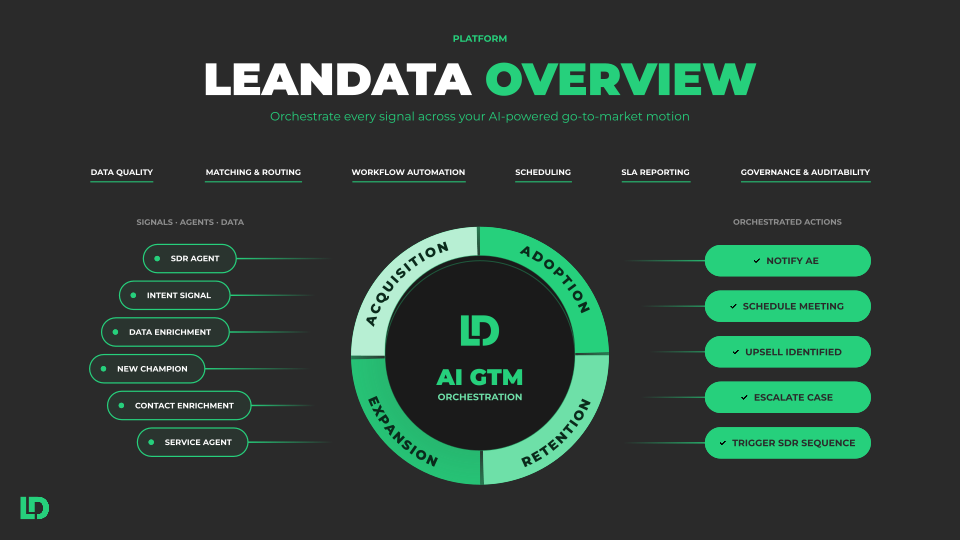
Matching is the first step in LeanData’s broader GTM orchestration platform, where every signal, whether human-generated, system-triggered, or AI-driven, routes through a single connected layer that governs actions across the full revenue lifecycle.
Learn more: LeanData Lead-to-Account Matching Solution Brief
How to Get Started: Improving Lead-to-Account Matching in Your CRM
Whether you are evaluating your first dedicated matching solution or diagnosing accuracy issues with an existing setup, these steps offer a practical path forward.
- Audit your current matching. Pull a sample of recent leads and trace them through to their matched accounts. How many have no match? How many appear mismatched? How many have multiple potential matches that were never resolved? This exercise reveals the scale of the problem and identifies where failures are most common.
- Evaluate your account data quality. Matching is only as accurate as the accounts it matches against. Check whether website domains are populated, enrichment data is current, and subsidiary relationships are captured. Gaps in account data limit what any algorithm can achieve.
- Define your matching criteria. Determine which fields your algorithm should weight most heavily, what constitutes a sufficient match for your data environment, and which custom fields should be included in evaluation.
- Configure tie-breaking rules. When a lead could plausibly match to multiple accounts, codify how the system should choose: customer accounts vs. prospect accounts, parent vs. subsidiary, closest geographic match. These decisions should be explicit, not left to defaults.
- Connect matching to routing. A match result that does not trigger a routing action leaves value on the table. Every matched lead should initiate a workflow: an owner assignment, a notification, an SLA clock, and a path to a booked meeting.
- Monitor and iterate. As your CRM data evolves, enrichment providers change, and new lead sources emerge, matching criteria should evolve with them. Track the percentage of inbound leads matching to accounts over time and flag edge cases for tuning.
See how one RevOps pro powers their GTM with AI and LeanData
FAQ
What is lead-to-account matching and why does it matter?
How does lead-to-account matching work in Salesforce?
What is the difference between fuzzy and AI-enhanced matching?
How does matching accuracy affect revenue outcomes?
How does matching connect to AI GTM execution?
What should I look for in lead-to-account matching software?
How is lead-to-account matching different from lead routing?
How does lead-to-account matching support buying group orchestration?

Jill Makin
Jill Makin is a Content Marketing Specialist at LeanData. Her content expertise includes B2B SaaS marketing across industries including fintech, healthcare, enterprise orchestration, and more. Connect with Jill on LinkedIn.