













Summary
LeanData’s Q4 2026 release gives ops teams more ways to keep go-to-market running without adding to their workload. With the LeanData MCP, admins can manage round robin pools and answer routing questions from the AI tools they already use, such as Claude and ChatGPT. Scheduling gets table-based meeting routing, more ways to book at tradeshows, and one log for every meeting. Reports and dashboards now install automatically with LeanData. Here, we’ll walk through each new feature and what it means for teams running AI go-to-market (GTM).
What You’ll Learn
- How the LeanData MCP lets admins manage round robin pools and check routing from Claude or ChatGPT
- How Data Table Based Routing for BookIt replaces chains of routing nodes with a single table
- What’s new in BookIt for Tradeshows, from booth-level assignment to attendance tracking
- How Unified Meeting Logs brings every booked meeting into one view
- How reports and dashboards now come with every LeanData install
Ops Teams Are Carrying the AI GTM Workload
Nearly every AI initiative in GTM ends up on the ops team’s desk. LeanData found in the 2026 State of AI Go-to-Market Readiness Report that 93% of GTM teams said they had deployed at least one AI agent, but only 31% said their infrastructure was ready for it. That missing preparation is an ops problem. AI agents will act on whatever Data they find, follow the version of the Process that’s written down, and see only the Context someone connected for them.
Getting all three of them right is in constant competition with a daily queue of smaller requests. Maybe a rep goes on PTO and needs to come out of rotation. Or a seller is asking why a lead went to someone else. Somewhere, a booked meeting never made it to Salesforce. Each request takes a few minutes, but collectively, they fill the week.
 “Without LeanData, I would be spending at least 20% of my time on routing and data cleanup, which equates to at least one junior-level hire.”Sr. Director of Revenue Operations

LeanData’s 10.x release takes on more of that queue. With it, admins can now hand routine pool changes and routing questions to the AI tools they already work with every day. Scheduling handles enterprise complexity with less upkeep, and reporting is ready from the first install.
10.x Release at a Glance
Manage Routing From Your Favorite AI Tools
Some ops requests seem to recur every week. When a rep goes on vacation, someone has to take them out of every pool. When a rep leaves, they have to be removed everywhere, and pools still need to be split fairly. If a seller is asking why a lead went to a colleague, someone will have to dig through audit logs to find the answer.
Before Zoom automated this work with LeanData, its Sales Support team reassigned leads and opportunities by hand every time a seller changed roles. Automating it now gives that team back about 20 hours a quarter. Get the full story in How Zoom Used Intelligent GTM Orchestration to Break Down Operational Silos & Increase Revenue.
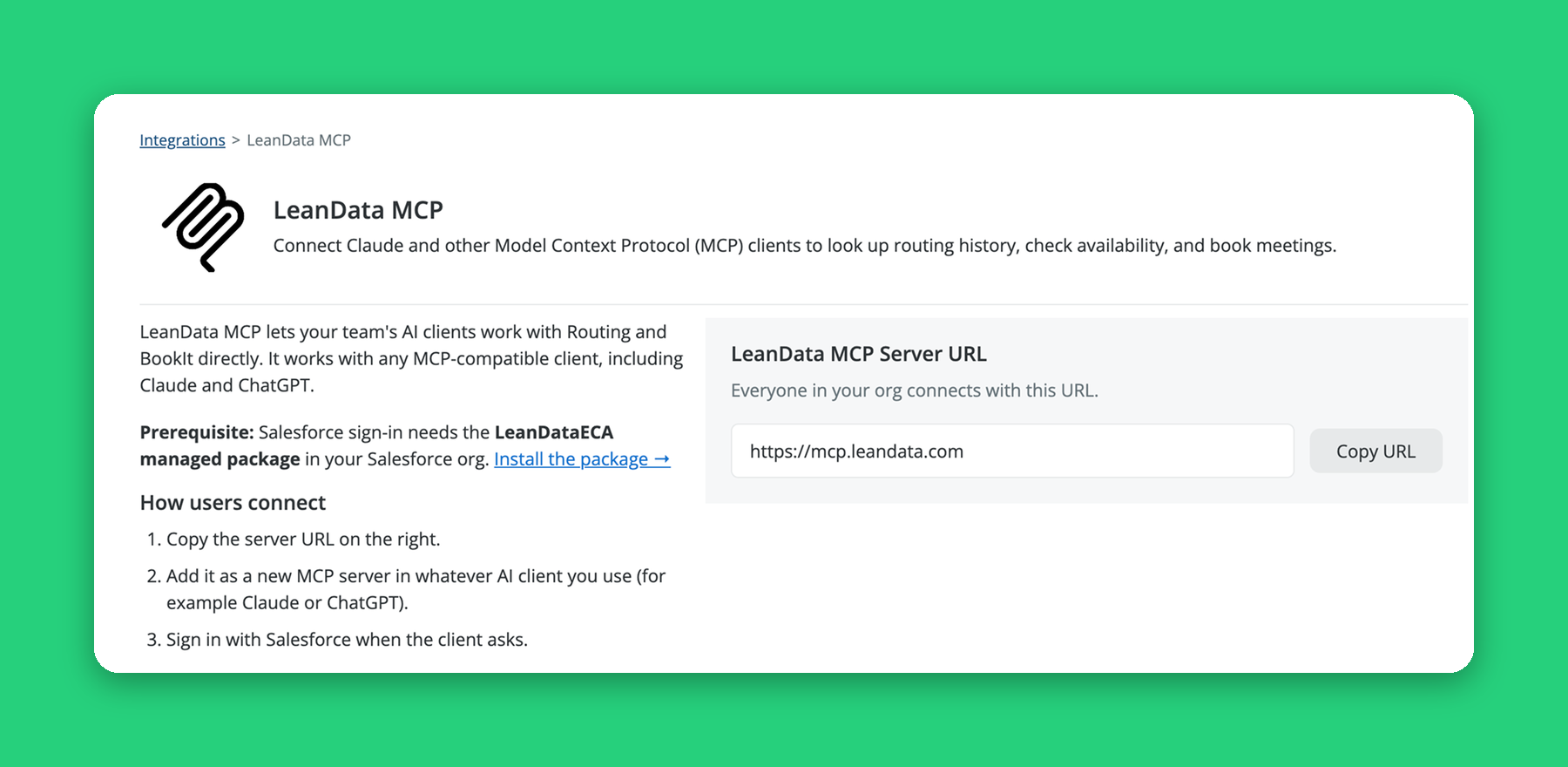
The LeanData MCP brings that kind of routine work into the AI client your team already uses. It connects MCP-compatible clients, such as Claude and ChatGPT, to LeanData Orchestration and Scheduling. An admin can now ask about an ops request, and then the AI client calls LeanData’s tools. LeanData does the work as the signed-in Salesforce user with their permissions in place and changes logged under their name.
However, adjustments are never made without approval. For example, pool changes come back as a preview first. They’re only saved after you confirm. Your AI client does the reasoning, and LeanData complements that work by supplying the tools and enforcing your rules and permissions.
What You Can Ask Your AI Client
Moving From the BookIt MCP
Already using the BookIt MCP? Its meeting tools are now part of the LeanData MCP, available in Beta for Premium customers. Reps can still look up their own meetings, share booking links, reschedule meetings, and request credits using the new LeanData MCP connection. The new tools are available only to LeanData admins. They cover four areas: managing pools and pool members, answering routing history questions from cloud-based Audit Logs, explaining your graph logic, and explaining how LeanData features work.
Graph work stays in FlowBuilder, where the LeanData AI Assistant can help you manage your graph.
The LeanData MCP is in Beta for Orchestration Premium and Scheduling customers on 10.x. It has been tested with Claude and ChatGPT. For setup steps, see the LeanData MCP Help Center guide.
Route Meetings From One Data Table
Meeting routing logic tends to grow one branch at a time. A new region, segment, or product line means you have to add a node, and then another, until eventually the graph is hard for anyone but its builder to change. Handoffs between teams can get even messier.
One revenue operations specialist described their team’s process like this before they automated it:
“Our BDRs were manually managing AE transfers in a Google Sheet and cross-referencing a round robin to determine routing. This was time-intensive, error-prone, and difficult to audit.”Sr. Revenue Operations Specialist
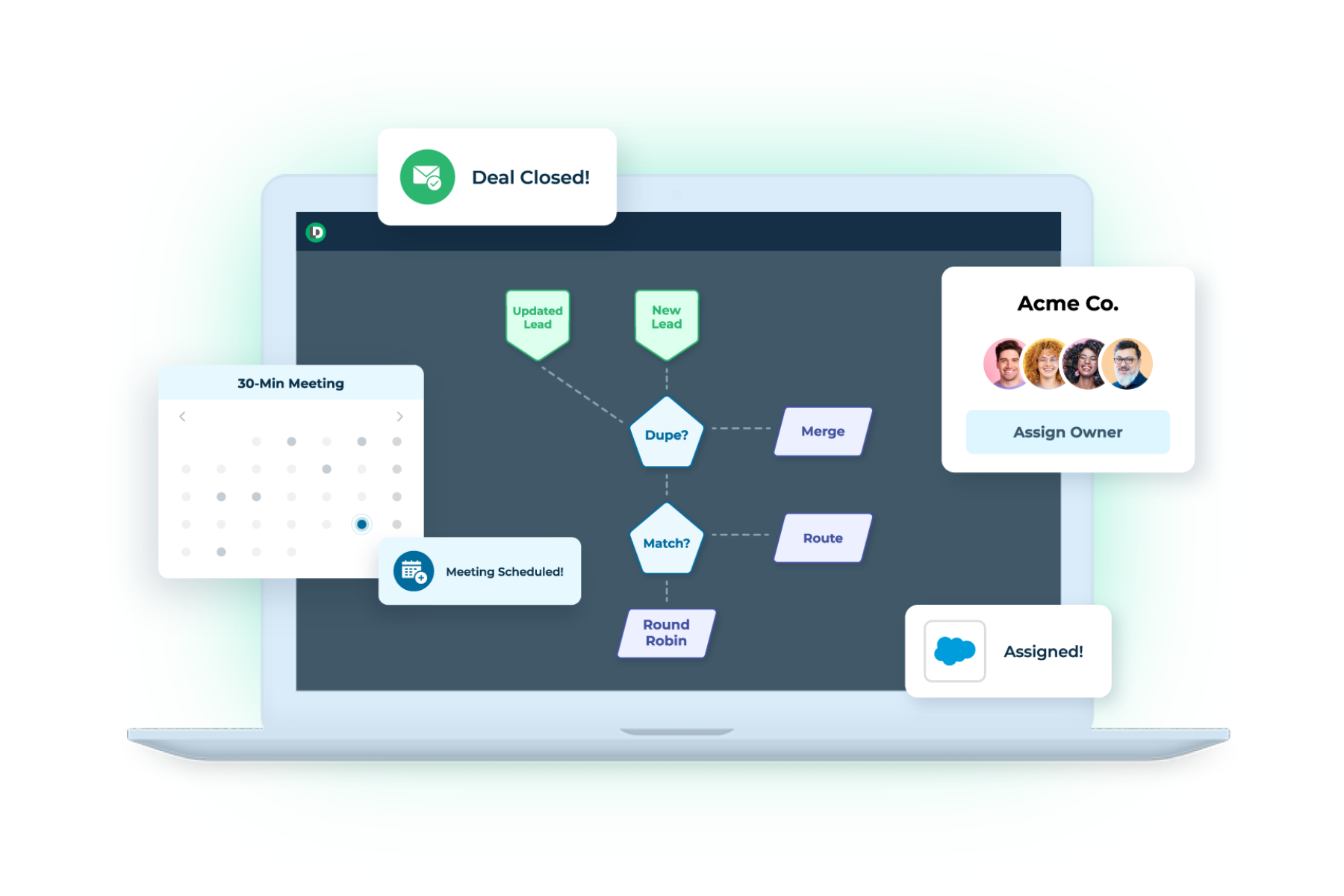
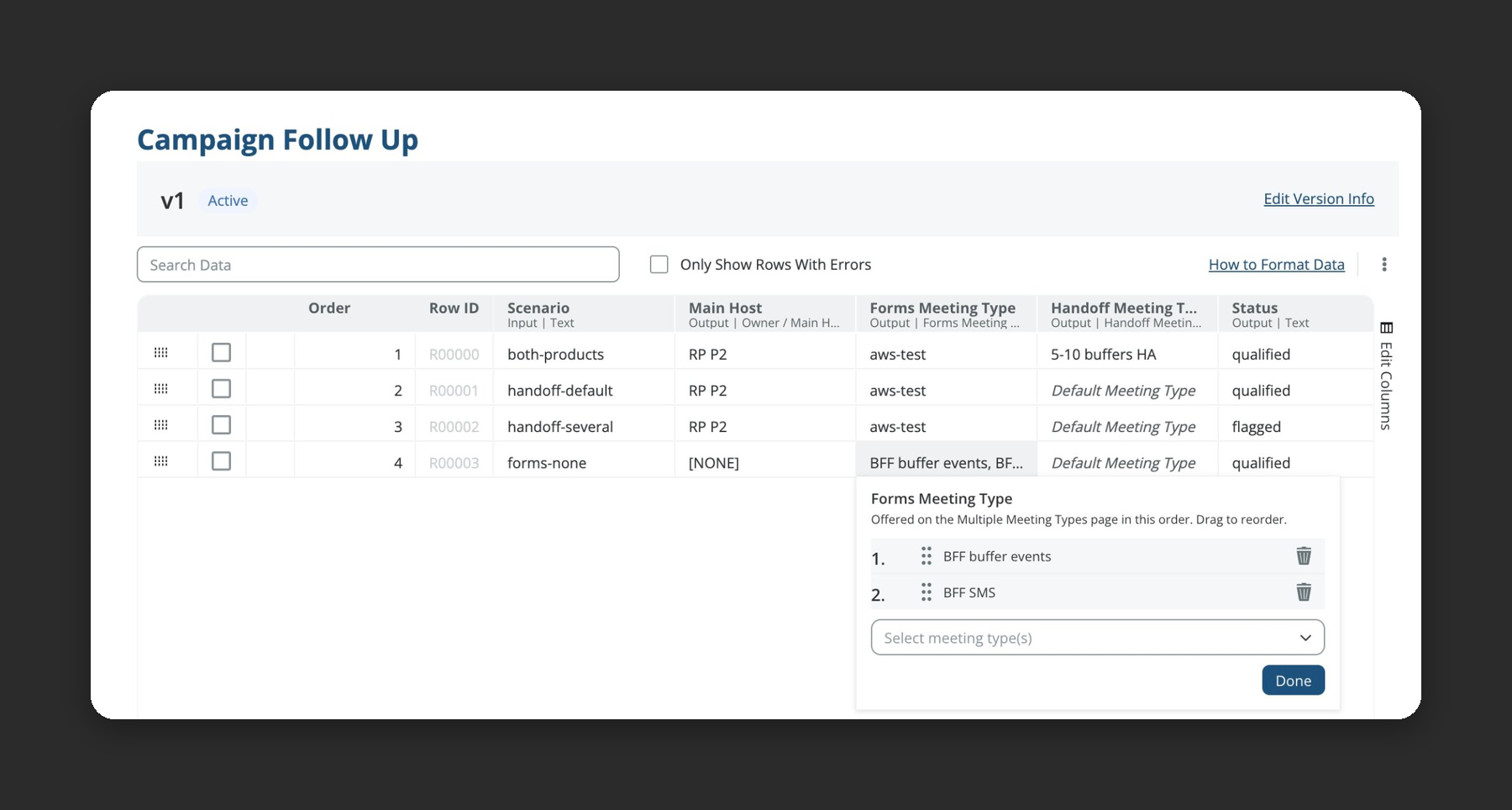
Data Table Based Routing for BookIt replaces those chains of decision and territory nodes with rows in a table. Now you can add a Data Table node to a BookIt for Forms or BookIt Handoff graph, and BookIt checks each submission against the rows from top to bottom. The first row that matches sets the host, the meeting type, and any field values you want to save. BookIt uses the same matching engine as Orchestration, which means you can reuse eligible data tables your team has already built.
Note that a matched row doesn’t have to book a meeting. You can store the row’s values as variables instead, which updates the owner or other fields without scheduling anything. Common uses include:
- Territory matrix routing: Handle combinations of industry, state, and country in one table.
- Handoffs without a meeting: Using the same logic as your routing graph, update the owner without scheduling.
- Clean disqualification: Send some prospects down a non-booking path.
If a result looks off, you’ll be able to see the matched row behind each routing outcome. So when you’re troubleshooting, you can get started easily with the rule that fired.
Book More Meetings at Every Tradeshow and Confirm They Happened
Events take up a large share of most marketing budgets, yet the meetings booked at a show are often hard to account for afterward. BookIt for Tradeshows launched in our Q3 2026 release to give in-person events their own scheduling mode. In 10.x, it has been expanded to work with even more of the ways reps book at a show:
- BookIt Links and BookIt Invite: Book tradeshow meetings from BookIt Links (including dynamic links), BookIt Invite, or a QR code. This works for both admin-managed and personal meeting types, so reps can share their own link at the booth and still get a room.
- Hours by day: Match the show’s schedule to accommodate lunch breaks, multiple time ranges in one day, and shorter final days.
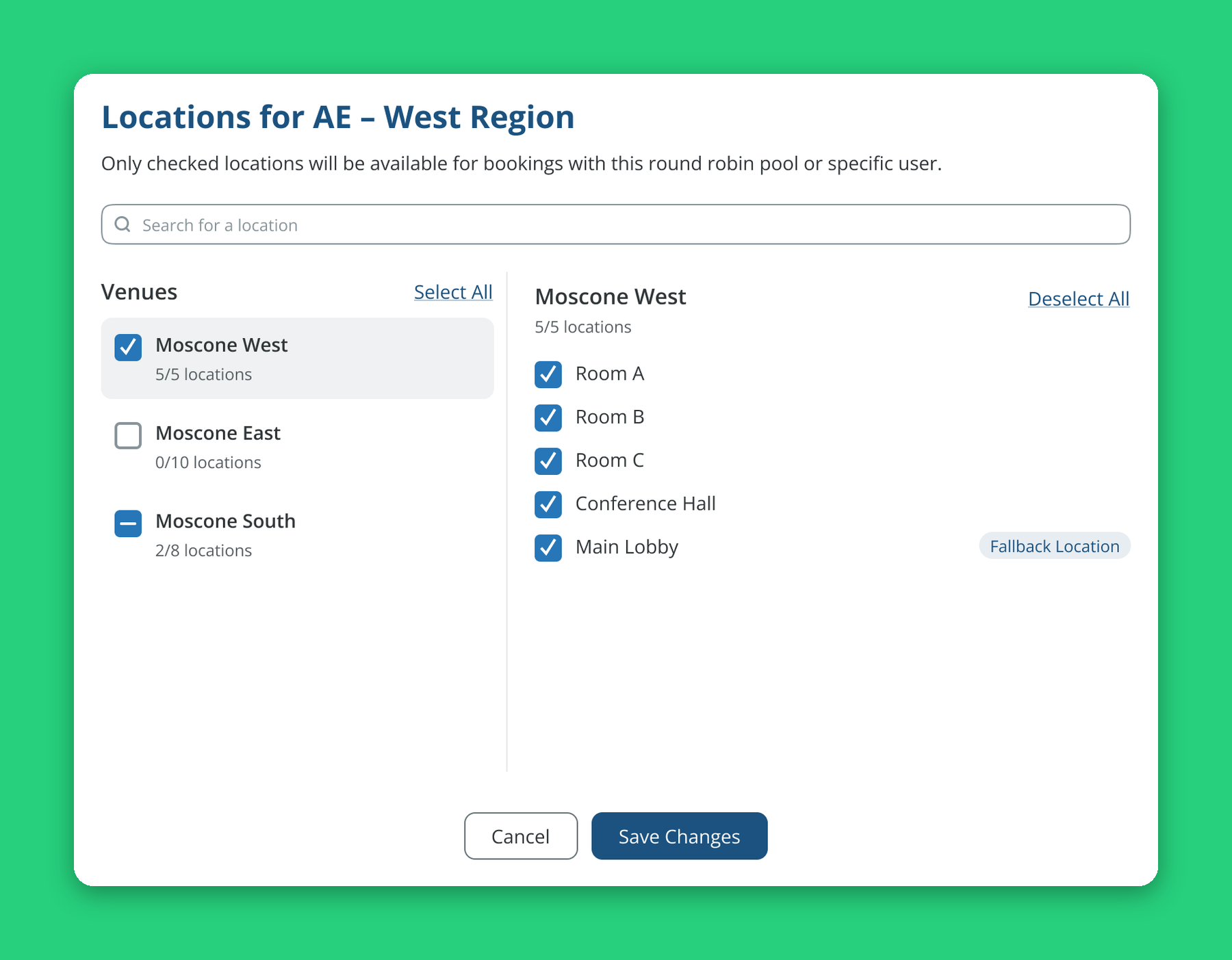
- Location-level assignment: Assign a rep or round robin pool to specific booths or rooms inside a venue.
- Fallback locations: Locations with no booking limit keep times open when other rooms fill up.
- Attendance check-in: Hosts and admins can mark meetings as “attended” or “no-show” directly in the Google Calendar event (with the LeanData Chrome extension), the confirmation email, or Meeting Logs.
- Built-in reporting: The tradeshow name and attendance details flow to Meeting Logs and Salesforce Events, allowing event teams to report on which booth meetings took place.
With these updates, BookIt for Tradeshows covers more of the show from setting up booths, rooms, and schedules to confirming which meetings took place.
See and Fix Every Meeting With One Log
Before 10.x, BookIt Links and BookIt Handoff kept separate logs that worked differently, and BookIt for Forms bookings didn’t have logs at all. Finding one meeting could have required checking several places or building a Salesforce report.
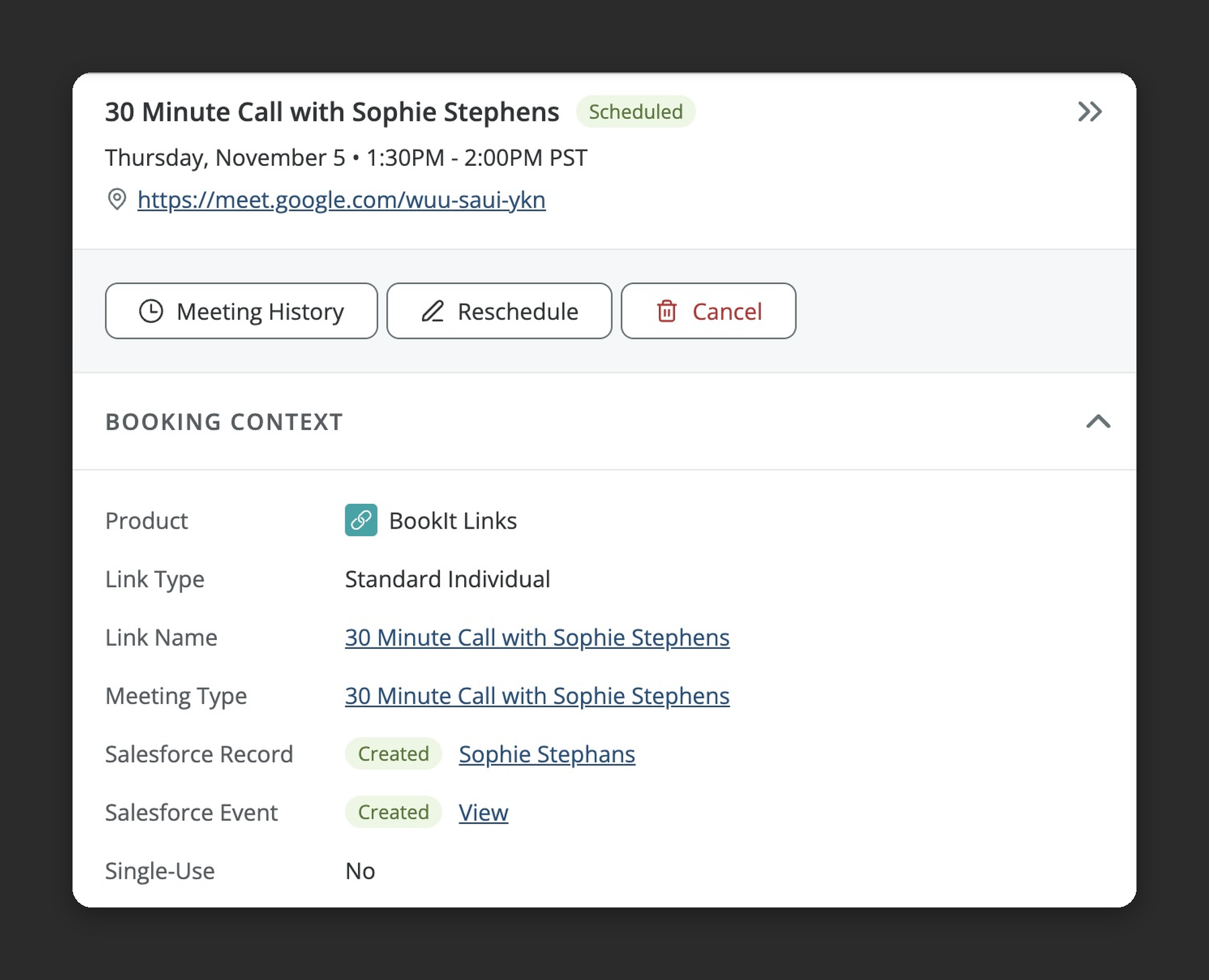
Unified Meeting Logs brings meetings from all three tools into one table with shared search and filters. When navigating through BookIt > Meeting Logs, admins can:
- Open any meeting to see attendees, which reps were offered the meeting, booking and pool context, submitted form data, and Salesforce event status
- Reschedule, cancel, view meeting history, or open the Audit Log (when it’s available) without having to leave the page
- Choose which columns appear so the table shows relevant fields for their team
- Search and filter quickly at enterprise volume
When a seller asks why a prospect didn’t get a meeting or why a meeting never reached Salesforce, finding the answer now starts in one place. Pair it with the rest of LeanData Scheduling to keep every booking traceable from form fill to calendar.
Reporting That Comes With Every Install
With Built-In Reports, LeanData reports and dashboards install with the core LeanData package and update with each release. Teams get standard reporting on routing activity, SLA performance and time to action, round robin pools, and scheduling from day one, and they can clone any report to customize it. For ideas on what to track, see LeanData Reporting Metrics: How Ops Teams Measure Success.
Also New in 10.x
- FlowBuilder Action Bar and UI enhancements: Just select a node to prompt the AI Assistant or copy, color, comment, or delete it from one bar. For large graphs that are hard to read, new functionality like snap-to-grid alignment, zoom out to 1% with fit-to-graph framing, a dotted grid, and higher-contrast node colors will make them easier to follow.
- Dashboard Refresh: The LeanData dashboard now defaults to a 180-day view instead of 90 days, adds a “This Contract Year” option, shows exact totals on hover, and hides inactive users by default.
For the full list of updates, see the 10.x release notes.
Built for the Teams Running AI GTM
The 10.x release strengthens the foundations AI GTM depends on. And everything in it supports the ops teams who maintain them:
- Data: Built-In Reports, Unified Meeting Logs, and tradeshow attendance give teams a reliable record of what routed, what was booked, and what happened.
- Process: Data Table Based Routing keeps scheduling rules in one readable table, and the LeanData MCP applies your existing rules and Salesforce permissions to every change proposed by your AI tools.
- Context: Admins and AI tools can access routing history and meeting details in both LeanData and the AI client.
For teams ready to hand more ops work to agents, Run by LeanData is now in early access. And for a broader view of where AI fits in your go-to-market, see our AI GTM guide for B2B revenue leaders.
See how 10.x fits your AI GTM
FAQ
What’s new in LeanData’s Q4 2026 release?
Does LeanData see my AI conversations?
Does the LeanData MCP replace the BookIt MCP?
How do I keep round robin pools current when reps take PTO or leave?
What is Data Table Based Routing for BookIt?
How do hosts mark attendance for tradeshow meetings?
Do I need a separate package for LeanData reports?

Jill Makin
Jill Makin is a Content Marketing Specialist at LeanData. Her content expertise includes B2B SaaS marketing across industries including fintech, healthcare, enterprise orchestration, and more. Connect with Jill on LinkedIn.