













Summary
AI GTM orchestration delivers when it reaches every tool and agent in your RevOps tech stack. This article walks through three places the LeanData 9.x release connects that stack: account hierarchies enriched with Dun & Bradstreet, native scheduling inside Outreach and Salesloft, and scheduling admin work through the agent layer with the BookIt MCP.
What You’ll Learn
- Why your AI output needs an orchestration layer to reach the people and agents who act on it
- How Dun & Bradstreet data turns LeanData Account Hierarchies into a map of expansion opportunity
- What routed scheduling looks like when it runs inside Outreach and Salesloft
- How admins can hand routine scheduling and provisioning tasks to an AI assistant through the BookIt MCP server
- How each update builds on the tools and routing rules your team already has in place
Why AI GTM Orchestration Strengthens the Rest of Your RevOps Tech Stack
Most revenue teams have spent the last two years adding intelligence across their go-to-market motion, from scoring models to CRM assistants to agents that qualify inbound and hand it off. Yet a familiar frustration remains: The intelligence arrives, and then nothing moves. A model flags an account, and the seller never hears about it. Meanwhile, an agent qualifies a lead, and the handoff waits on someone to work out who owns it.
That gap has become expensive to ignore. AI councils now review proposals, and finance wants to know what the last pilot returned. In fact, in a LeanData survey from May 2026, teams named inconsistent CRM data and undocumented business processes as the leading reasons agents underperform, well ahead of anything about the models themselves.
That’s where AI GTM orchestration comes in. LeanData sits between the systems in your RevOps tech stack, from CRM and marketing automation to sales engagement and customer systems, connecting both agents and humans. First, a signal arrives. Next, LeanData matches the record, applies the rules your team set, and decides who should act. Then the action lands in the system where that work happens, and the decision gets logged in Salesforce. As a result, probabilistic AI can interpret a messy signal while deterministic rules in LeanData still decide who owns the account and what to do about it.
The LeanData 9.x release extends that reach in three places:
A Live View of the Corporate Family with Dun & Bradstreet
Enterprise organizations rarely sell into a single company. They sell into corporate families made up of parent organizations, regional subsidiaries, and sibling divisions spread across geographies and legal entities. Salesforce, though, holds the accounts your team already knows about, and it typically references just the Direct or Ultimate Parent. So the subsidiary nobody has engaged, the parent that controls the budget, and the sister divisions ripe for cross-sell stay out of view. Any agent reasoning over that record inherits the same blind spot.
With the 9.x release, LeanData Account Hierarchies are now enriched with Dun & Bradstreet, giving revenue teams a unified and dynamic view of the corporate family right inside Salesforce. By layering Dun & Bradstreet’s data onto an account hierarchy, teams can now see a more complete family tree. As a result, the tree includes the entities that aren’t in Salesforce yet, and a rep or admin can create a net-new Salesforce Account in one click, pre-populated with its D-U-N-S® Number, global-ultimate linkage, and firmographics. The integration works with your organization’s Dun & Bradstreet Direct+ data and requires D&B Connect installed in your Salesforce org. Building and visualizing hierarchies don’t require a data provider contract, but surfacing new entities from Dun & Bradstreet does.
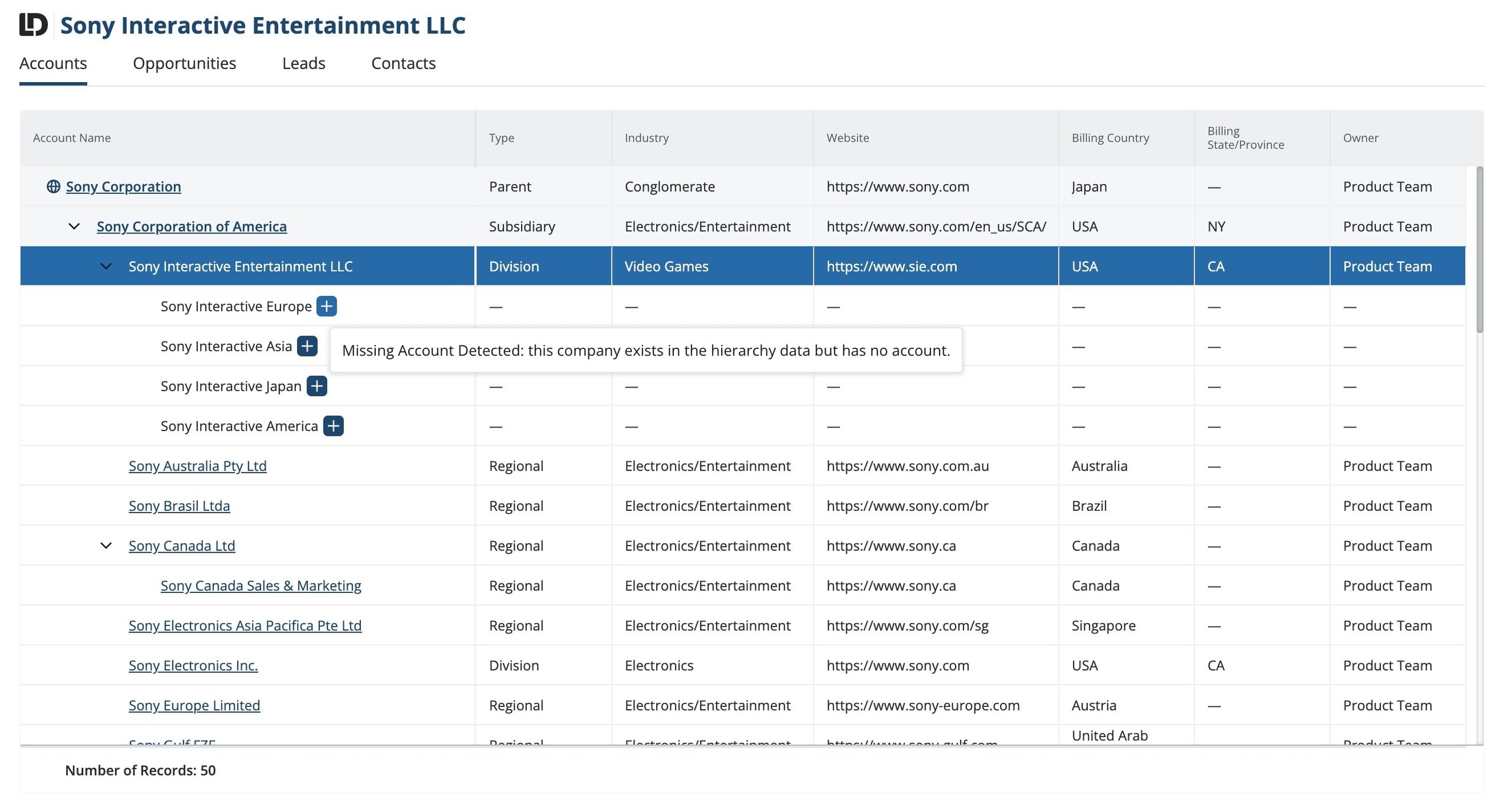
Consequently, the hierarchy becomes a working map of expansion opportunity. Sellers spot untapped subsidiaries and parents while reviewing an account they already own. Marketing reaches each entity with a message that fits where it sits in the structure. Meanwhile, the hierarchy feeds routing directly, because the Account Hierarchy Match Node in FlowBuilder retrieves hierarchy members to reference across routing logic, enabling precise assignment, record updates, and notifications based on how accounts actually relate. Teams then define territories and inform account planning based on the true corporate structure.
Routed Scheduling Inside Outreach and Salesloft
Most sales reps run their day in a sales engagement platform. Routing and scheduling with the right rep have always lived somewhere else. A rep qualifies a prospect on a call, hears real interest, and needs time on the calendar with the right account executive within the next minute. First, though, she has to determine which account executive, and that answer has lived in Salesforce. So she leaves the workflow to look it up. Often the moment passes and the call ends with a promise to send some time slots over email.
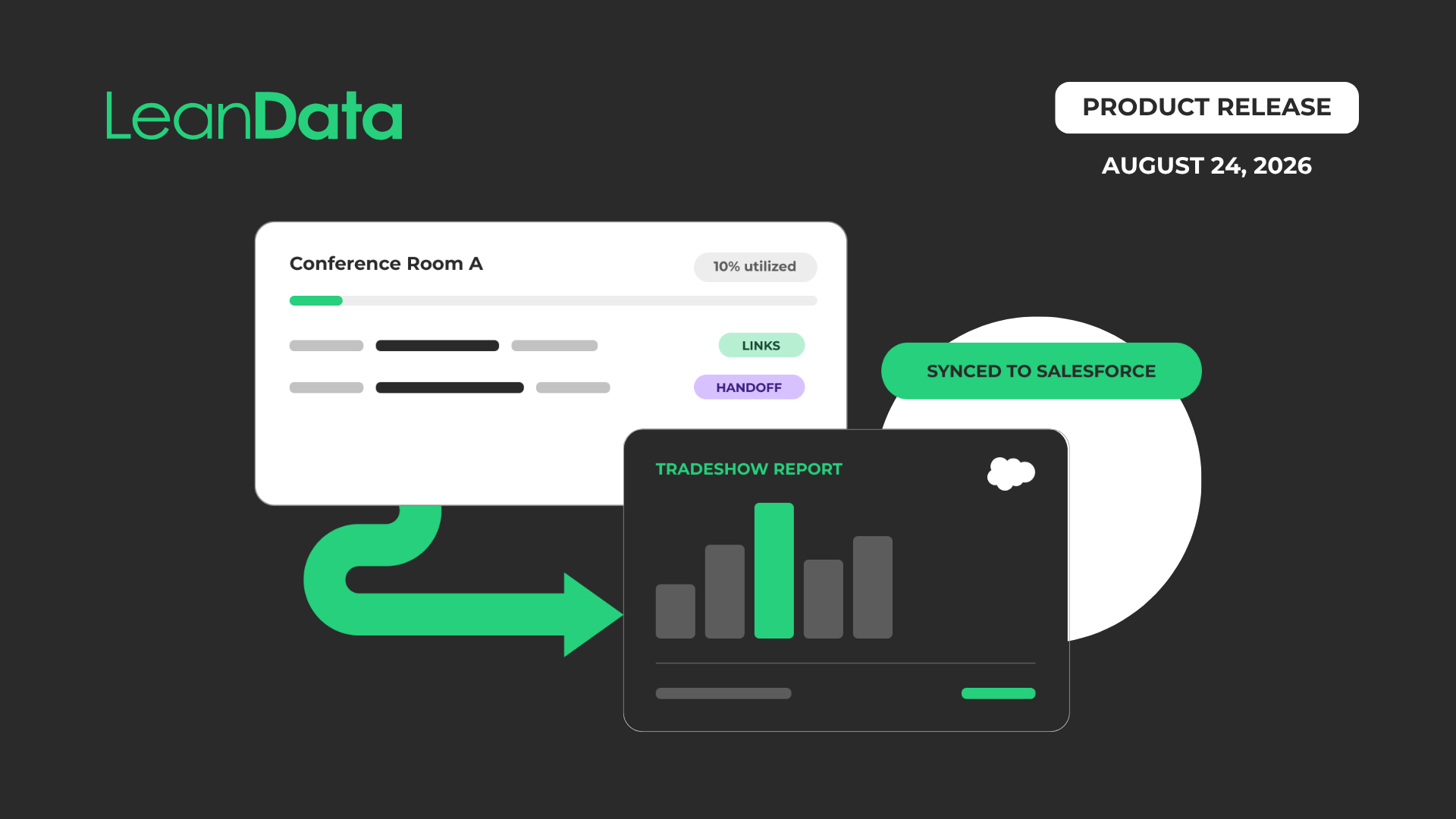
BookIt now runs natively inside both Outreach and Salesloft. Reps can now launch BookIt Handoff from the Outreach prospect record or the Salesloft Person record, and LeanData applies the routing rules your team already configured, finds the right AE, books the meeting, and writes it back to Salesforce with attribution intact. In addition, reps can insert BookIt Invite availability directly into the email composer in either platform, including Cadence steps in Salesloft. The prospect picks a time, and the meeting routes and books itself, so a follow-up ends with a calendar invite instead of another round of messages.
Existing BookIt handoff and routing settings apply. As a result, the booking follows the same rules as every other assignment decision your team makes, which matters more as AI SDRs and scoring models generate a larger share of the conversations reps pick up.
Admin Work and Provisioning with the BookIt MCP
Ops admins spend real time on small, repetitive tasks: onboarding a rep, cleaning up access when someone changes roles, moving a booked meeting to a different owner. Each one is quick, but together they add up.
The BookIt MCP server began primarily as a way to query BookIt data through an AI assistant, which helped with investigation and reporting. This release extends it into everyday administration, so an admin describes the task in plain language and a compatible assistant carries it out under existing BookIt permissions. Through the MCP server, admins can now:
- Invite users to BookIt and assign or edit their product access
- Resend authorization invites when someone has not connected yet
- Deauthorize or remove a user, plus remove them from every BookIt pool during offboarding
- Reassign a booked meeting to another user and adjust the date and time in one step
- Book end to end through a routing link, including completing the form and routing the prospect
- Check whether a connection token has expired, which is a common cause of sync surprises
As your team does more of its daily work in AI tools like Claude and ChatGPT, those tools need governed access points to your systems. An MCP server provides one, with the same permissions and the same audit trail a human admin works under. Consequently, scheduling stays ready for an agent-driven world without a separate build for every new assistant your team adopts.
 “As companies keep adding AI tools, what I don’t have to question is whether they’ll work with what’s underneath — LeanData has become the one-stop shop the rest of the stack connects through.”Jeffrey Kim

With LeanData, Every Tool in Your RevOps Tech Stack Does More
Many teams assume a connected AI stack means new tools, new rules, and months of rework. Fortunately, LeanData starts with the systems and routing rules you already have. If your team uses Dun & Bradstreet Direct+, your account hierarchies can now show the full corporate family. If your reps live in Outreach or Salesloft, they can now route and book meetings without switching context. Outreach and Salesloft join the other tools LeanData already connects with, which you can browse on the LeanData integrations page. And if your Ops admins already work with an AI assistant, the BookIt MCP server gives it a governed way to handle routine tasks. Because each update builds on the routing rules you already have, your reach grows without adding another set of rules to maintain.
Ready to see it in your own RevOps tech stack?
FAQ
What does it mean to have a connective layer between your CRM and sales engagement tools?
Why does a disconnected RevOps tech stack create data and process gaps?
How does Dun & Bradstreet data improve account hierarchies in Salesforce?
Can reps book meetings without leaving Outreach or Salesloft?
What is an MCP server, and why does it matter for GTM tools?
Do these features require rebuilding existing routing?